
Local SEO helps businesses improve their visibility when people search for products and services in a specific area. Searches such as “plumber near me,” “dentist in Lahore,” or “best coffee shop nearby” can connect local customers with businesses that serve their area.
This Local SEO checklist covers the key areas you should review, including your Google Business Profile, local keywords, citations, reviews, location pages, on-page SEO, technical issues, local content, and competitor research.
Work through the checklist step by step and focus on the areas where your website or business profile needs the most improvement.
17 Essential Local SEO Checklist Steps
If you want your website to appear at the top of local searches, follow this Local SEO Checklist and use
1.Google Business Profile
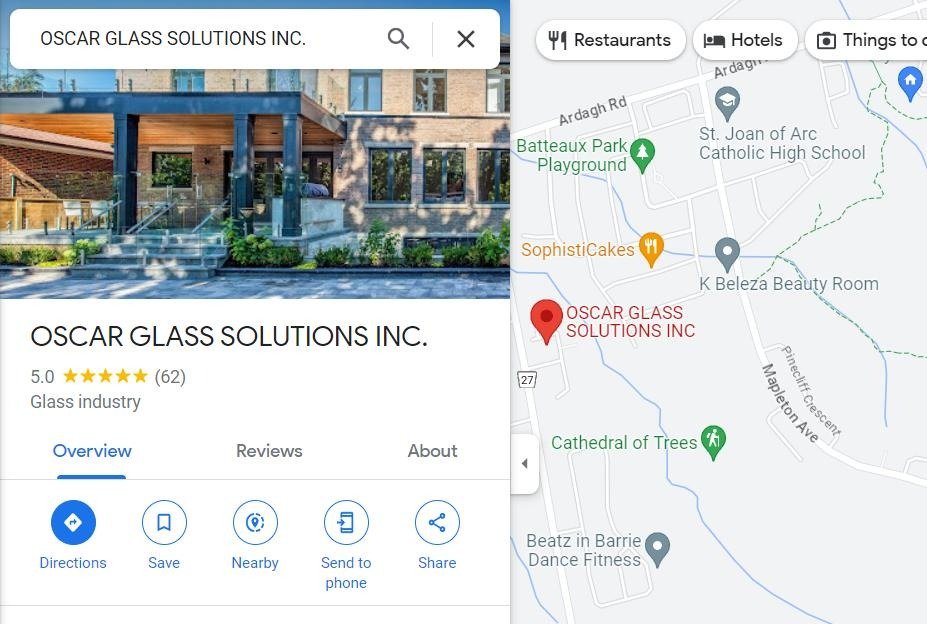
Your Google Business Profile is an important part of local search visibility. It helps customers find your business on Google Search and Google Maps, so make sure the information is accurate and useful.
Check these items:
- Use your real business name
- Choose the most relevant primary business category
- Add your correct address or service area
- Add an accurate phone number and website
- Keep your business hours updated
- Add clear, relevant photos of your business
- Add the products or services you actually offer when appropriate
- Respond to customer reviews
- Keep your profile information up to date
Tip: Keep your business name consistent with how your business is actually known. Don’t add extra keywords to the name just to try to improve local rankings.
Want to check and improve different parts of your local SEO? Use these Local SEO Tools to help with local keyword research, competitor research, and search visibility.
2. Use Local Keywords on Your Website
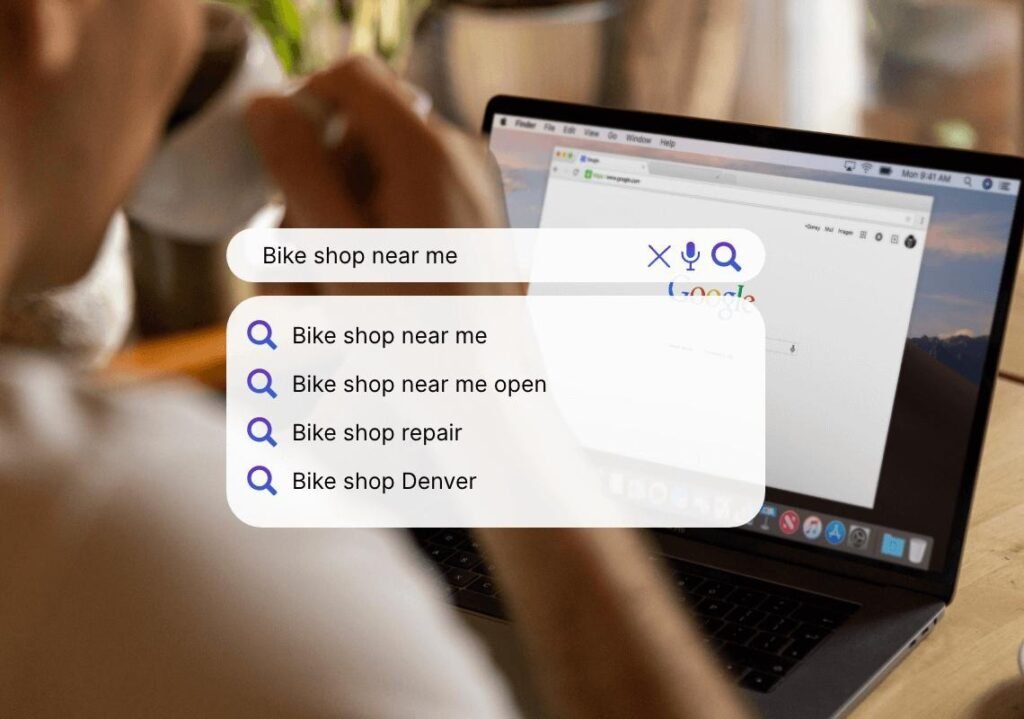
Use keywords that match what people in your target area actually search for. Include relevant locations naturally in your pages instead of repeating the same city or neighborhood name throughout the content.
Check these areas:
- Use relevant local keywords in your page title when appropriate
- Mention the city or service area naturally in your content
- Include locations in relevant headings
- Optimize service and location pages for their specific search intent
- Use natural phrases such as “plumber in Lahore” or “dentist near me” where they genuinely fit
- Include important local terms in image alt text when descriptive and relevant
Important: Don’t force phrases like “near me” into every page. Google can understand location-based intent, so focus on writing naturally for the people you serve.
Example:
Instead of repeating:
Best plumber Lahore | plumber Lahore | plumber in Lahore
write naturally:
Need a plumber in Lahore? Our local plumbing service helps homeowners with emergency repairs, installations, and routine maintenance.
This gives Google useful local context while keeping the page readable for visitors.
3. Keep Your Business Information Consistent
NAP stands for Name, Address, and Phone number. Keeping your core business information accurate and consistent across your website and important business listings makes it easier for customers and search engines to understand which business they’re looking at.
Check these details:
- Use the same business name across important listings
- Keep your address accurate wherever it is published
- Use the correct business phone number
- Make sure your website displays the same core information
- Check important directories and social profiles for outdated details
- Update old information when your business moves or changes its phone number
Example:
If your website lists:
ABC Dental Clinic
Main Boulevard, Lahore
0300-1234567
Check that your important business profiles and listings don’t contain an old address or different phone number.
Tip: Don’t create fake addresses or business listings just to target additional locations. Your location information should accurately represent where your business operates.
4. Build Relevant Local Citations
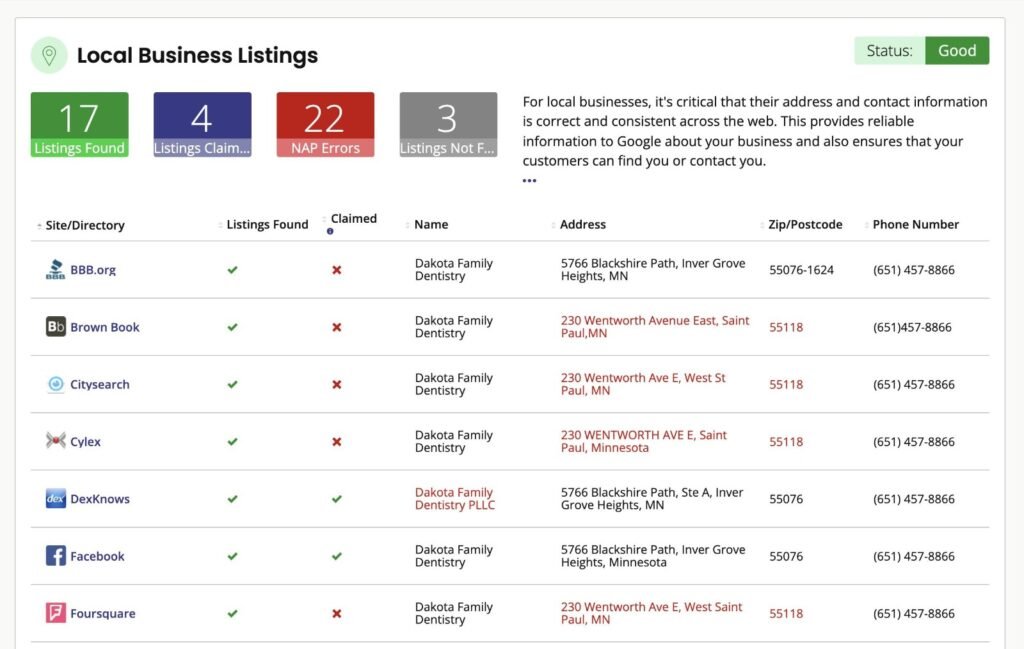
Local citations are online mentions of your business, often including details such as your business name, address, phone number, website, or category.
Relevant business directories and local websites can help customers discover your business and can reinforce your business information across the web.
Check these items:
- List your business on relevant, trustworthy directories
- Use directories that are actually relevant to your location or industry
- Keep your business name, address, phone number, and website accurate
- Remove or correct important duplicate or outdated listings when possible
- Look for local chambers of commerce, industry associations, and reputable local directories
- Don’t create listings on low-quality directories simply to get more citations
Tip: Quality and relevance matter more than creating hundreds of listings. Focus on directories and websites that your potential customers might actually use.
5. Earn Genuine Google Reviews
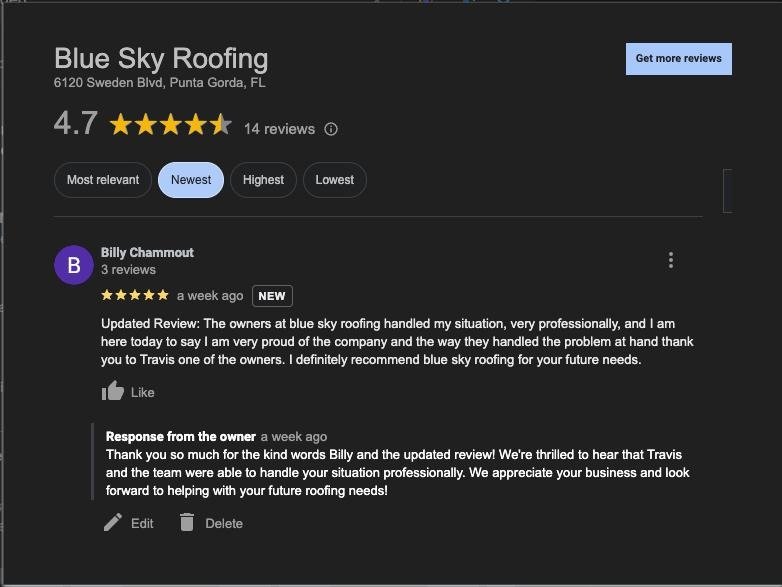
Reviews can help potential customers understand what it’s like to do business with you. Make it easy for genuine customers to leave honest feedback, and respond professionally to reviews you receive.
Check these items:
- Ask real customers for honest reviews after a purchase or completed service
- Give customers a simple way to find your Google review page
- Respond to both positive and negative reviews professionally
- Address legitimate customer concerns instead of ignoring them
- Monitor your reviews regularly
- Never buy reviews or create fake reviews
Tip: Don’t focus on reaching an arbitrary number of reviews. Consistently earning genuine feedback from real customers is more useful than chasing a specific review count.
6. Add Relevant LocalBusiness Schema
Schema markup helps search engines understand specific information about your business and webpage. For a local business, relevant LocalBusiness structured data can describe details such as the business name, address, phone number, opening hours, and other supported information.
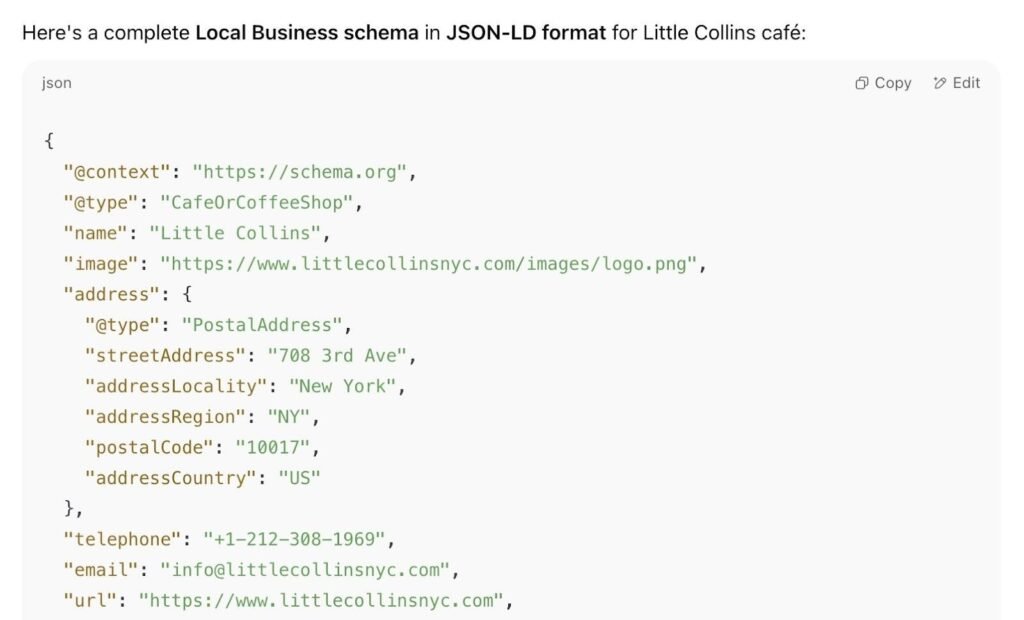
Check these items:
- Use the appropriate LocalBusiness type for your business when applicable
- Keep the structured data consistent with the information visible on your website
- Include accurate business details
- Validate your structured data after implementation
- Update the markup if your business information changes
You can implement structured data manually or use an SEO plugin that supports schema markup.
Important: Schema markup does not guarantee higher rankings or a rich result. Only add information that is accurate and supported by the page.
If you’re comparing SEO plugins for WordPress, see our guide to Rank Math vs Yoast SEO.
7. Make Your Website Mobile-Friendly
Many local searches happen on smartphones, so your website should be easy to use on smaller screens. Visitors should be able to quickly find your services, location, contact information, and other important details.
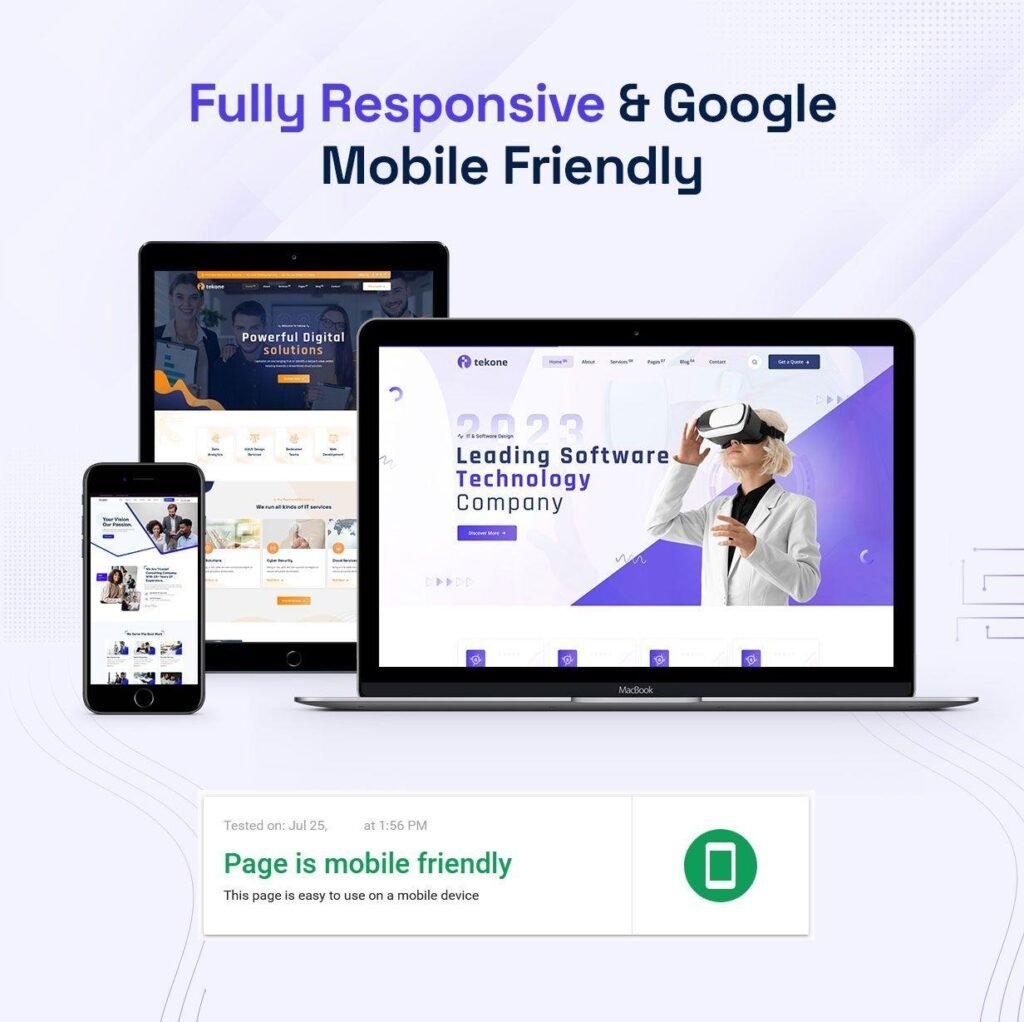
Check these items:
- Make sure your pages work properly on mobile devices
- Use readable text and clear headings
- Make buttons and links easy to tap
- Make sure your navigation works on smaller screens
- Keep important contact information easy to find
- Compress large images and unnecessary files
- Check your pages for slow-loading elements
- Test important pages on both mobile and desktop
Tip: Don’t focus only on getting a perfect PageSpeed score. Look at the overall experience: Can a local visitor quickly understand what you offer and contact your business?
8. Create Useful Location Pages
If your business serves multiple cities or areas, create location pages that provide genuinely useful information for each service area.
A location page should do more than replace the city name with another location. It should help visitors understand what services you provide there and why the page is relevant to that area.
Check these items:
- Create a page only for locations your business actually serves
- Mention the specific services available in that area
- Add useful local information where relevant
- Include accurate contact and service-area details
- Link to relevant service pages
- Link between related location pages when it helps visitors
- Give each location page unique, useful content
- Avoid creating many nearly identical pages with only the city name changed
Example URL structure:
example.com/locations/lahore/
or, for a specific service:
example.com/plumbing/lahore/
Tip: Don’t create location pages for cities where you don’t actually provide the service. Focus on pages that have a real purpose for your customers.
9. Create Helpful Local Content
Local content can help you address questions and problems that matter to people in the areas you serve. Instead of writing about a location just to include its name, create content that provides genuine value to local customers.
Content ideas include:
- Local guides related to your industry
- Answers to common questions from customers in your area
- Service-related problems that are common in your location
- Local regulations or requirements when relevant
- Comparisons of local services or options
- Helpful guides for customers choosing a service in your area
- Frequently asked questions specific to your service area
Example:
A plumber serving Lahore could create a useful guide about:
Common Plumbing Problems in Lahore Homes and How to Prevent Them
The goal is to answer a real local question, not simply repeat the city name throughout the article.
Tip: Keep local content connected to your actual products, services, and audience. Avoid publishing unrelated local news just to attract local search traffic.
10. Improve On-Page SEO for Local Search
Your important local pages should clearly explain what your business offers, where you serve customers, and what each page is about. Use local terms naturally instead of repeating the same keyword unnecessarily.
Check these items:
- Write a clear, descriptive page title
- Use one clear H1 that matches the page’s main topic
- Include relevant location terms where they naturally fit
- Use descriptive H2 and H3 headings
- Write a useful meta description
- Optimize images with descriptive file names and alt text
- Add relevant internal links to related pages
- Make sure each important page has a clear purpose and search intent
- Avoid keyword stuffing or unnatural repetition
Example:
Instead of:
Plumber Lahore | Best Plumber Lahore | Plumbing Lahore
Use something natural such as:
Emergency Plumbing Services in Lahore
Then explain the actual services, areas served, pricing information where appropriate, and other details that local customers need.
Tip: Optimize the page for people first. A location keyword should support the content, not take over the entire page.
11. Build Relevant Local Backlinks
Local backlinks are links to your website from other relevant websites. For a local business, links from reputable local organizations, industry websites, community websites, and relevant publications can help strengthen your website’s local presence.
Ways to earn relevant local links:
- Get listed by legitimate local business organizations
- Join relevant industry associations
- Participate in local community events
- Partner with complementary local businesses
- Contribute useful expert information to relevant local publications
- Create resources that local websites would genuinely find useful
- Look for relevant local sponsorship or community opportunities
Check your existing backlinks regularly and focus on relevance and quality rather than trying to collect a large number of links.
Avoid: Buying large numbers of low-quality links, participating in link schemes, or creating unrelated links simply to manipulate rankings.
Tip: A useful local resource can naturally attract links. For example, a local business could create a helpful guide, calculator, directory, or research report that other relevant websites may want to reference.
12. Keep Your Local Social Profiles Consistent
Social media profiles can help customers discover and learn about your business. They can also provide another place where people can find your website, contact information, services, and business details.
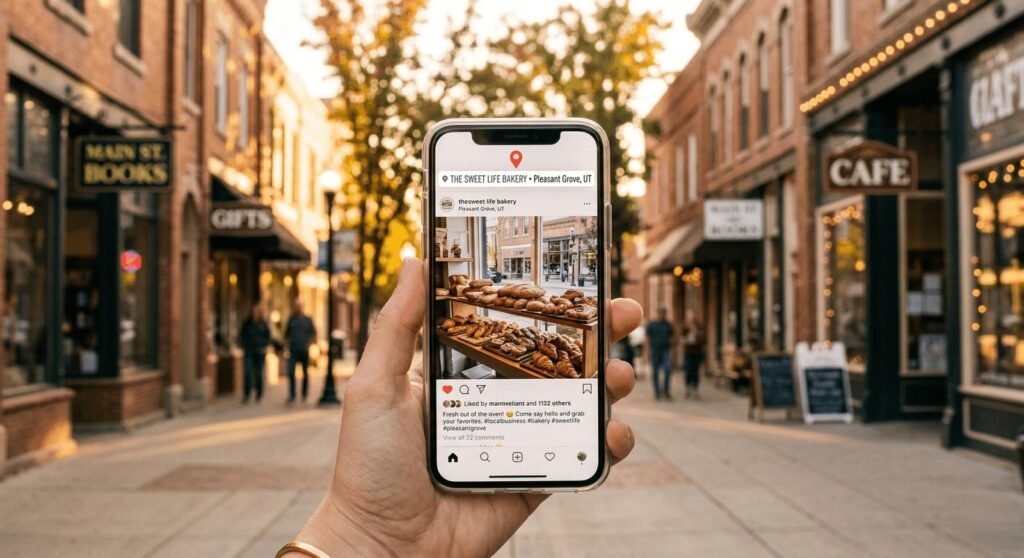
Check these items:
- Use your correct business name and contact information
- Link your social profiles to your website
- Keep your business location and service information accurate
- Share useful content related to your products or services
- Respond to relevant customer questions and messages
- Use social platforms where your local customers are actually active
Tip: You don’t need to post on every social network. Focus on the platforms that are relevant to your customers and business.
13. Optimize for Conversational Local Searches
People often use natural, question-based searches when looking for local businesses and services. Your content should answer these questions clearly and directly rather than trying to force exact-match phrases into every page.
Check these areas:
- Answer common questions your local customers actually ask
- Use natural, conversational language
- Include relevant location information when it helps answer the question
- Create FAQ sections for useful customer questions
- Give direct answers before adding supporting details
- Cover variations of a topic naturally instead of repeating one keyword
Examples of local questions:
- Where can I find a dentist in Lahore?
- Which areas does this plumbing service cover?
- How much does a local home cleaning service cost?
- What should I check before hiring a contractor?
Tip: Don’t create a page just to target the phrase “near me.” Focus on providing useful information about your business, services, and service areas. Search engines can understand local intent from the overall context of a page.
14. Fix Technical SEO Issues
Technical SEO problems can make it harder for search engines to crawl, index, and understand your website. Regularly check your important local pages for technical issues.
Check these areas:
- Make sure your website uses HTTPS
- Check for broken internal and external links
- Fix incorrect or unnecessary redirects
- Make sure important pages can be indexed
- Check your XML sitemap
- Review your robots.txt file
- Check for duplicate or very similar pages
- Use canonical URLs where appropriate
- Monitor Core Web Vitals and page performance
- Check Google Search Console for indexing or crawling issues
Tip: Don’t try to fix every technical issue at once. Start with problems affecting important pages, such as service pages, location pages, and pages that already receive search impressions.
Useful tool: Google Search Console can help you identify indexing, crawling, and page experience issues that need attention.
15. Track Your Local SEO Results
Local SEO needs regular monitoring so you can see which pages and search queries are gaining visibility and where improvements are still needed.
Check these areas:
- Monitor your important local search queries in Google Search Console
- Track clicks, impressions, CTR, and average position
- Check which pages receive local search traffic
- Monitor your Google Business Profile performance
- Review calls, website visits, and other customer actions when available
- Compare your results over time instead of judging performance from a single day
- Keep notes when you make important SEO changes
Tip: Don’t focus only on rankings. Look at the bigger picture, including search visibility, website visits, calls, inquiries, and other actions that matter to your business.
Example:
If a local service page receives more impressions but few clicks, review its title and search snippet. If impressions and clicks are increasing, continue monitoring the page before making unnecessary changes.
16. Study Your Local Competitors
Looking at businesses that appear for your target local searches can help you understand what information and services Google is showing to searchers in your area.
Check these areas:
- Search your main local keywords in Google
- Look at businesses appearing in the local results and Maps
- Compare the services they highlight
- Review their website structure and important pages
- Check how clearly they explain their location and service areas
- Look at the type of local content they publish
- Review their business categories and publicly visible information
- Identify useful topics or questions they cover that your website doesn’t
Tip: Use competitor research to find content and optimization opportunities. Don’t copy their text, images, or pages. Your goal is to provide something useful and relevant for your own customers.
17. Perform Regular Local SEO Audits
Local SEO can change as your business information, website, competitors, and search results change. A regular audit helps you catch problems before they affect important pages or customer information.
Check these areas:
- Review your Google Business Profile information
- Check your business name, address, phone number, and website
- Look for broken links and outdated pages
- Check important pages for indexing issues
- Review your local keywords and search visibility
- Check important local listings and citations
- Monitor new customer reviews and respond when appropriate
- Review your location and service pages
- Check your website’s mobile experience
- Look for new local content opportunities
- Review your competitors periodically
Tip: You don’t need to perform a complete audit every week. Set a regular schedule that makes sense for your business and keep track of the changes you make.
Bonus: Check Your Google Maps & Local Pack Visibility
Google Maps and local search results are especially important for businesses that serve a specific area. Check how your business appears when people search for your main services and locations.
Check these areas:
- Search your main local service keywords on Google
- Check how your business appears in Google Maps
- Make sure your business information is accurate
- Check that your primary business category is relevant
- Review your business description and available services
- Check whether your website and contact details are correct
- Look at the local businesses appearing for the same searches
- Note questions or information customers may need before contacting a business
Tip: Local search results can vary based on the searcher’s location, device, and query. Don’t assume that one search from your own location represents what everyone sees.
Important: Don’t repeatedly search your own business just to check rankings. Use Google Search Console and your Google Business Profile data alongside occasional manual checks for a broader view.
Bonus: Strengthen Your Internal Links
Internal links connect related pages on your website and help visitors discover more useful information. They also help search engines understand how your pages are related.
Check these areas:
- Link from relevant blog posts to your main local SEO pages
- Use descriptive anchor text that explains what the linked page is about
- Link between related service, location, and informational pages
- Add links where they genuinely help the reader
- Check important pages for useful internal links
- Fix broken internal links
- Avoid adding too many links just for SEO
Example:
If you’re writing about local keyword research, you could naturally link to your Local SEO Tools guide:
You can also use these Local SEO Tools to research local keywords and analyze your competitors.
Tip: Don’t force internal links into every paragraph. Add them where the reader may genuinely want more information.
Frequently Asked Questions About Local SEO
What is local SEO?
Local SEO is the process of improving a business’s online visibility for searches related to a specific location. It helps people find relevant local businesses through search engines, Maps, and business listings.
How long does local SEO take to show results?
There is no fixed timeframe. Results can depend on factors such as your website, competition, location, existing online presence, and the changes you make. Track your visibility over time rather than expecting an immediate increase.
Is Google Business Profile important for local SEO?
Yes. A Google Business Profile gives customers important information about your business and helps your business appear on Google Search and Maps when relevant.
How often should I update my local SEO?
Review your local SEO regularly, especially when your business information, services, location, or website changes. A periodic audit can also help identify technical issues and outdated information.
Do I need separate location pages for every city?
No. Create location pages when your business genuinely serves those locations and the pages can provide useful, unique information. Avoid creating large numbers of nearly identical city pages just to target keywords.
Can a small business do local SEO itself?
Yes. Many basic local SEO tasks can be handled by a business owner, including updating business information, improving website pages, managing reviews, creating useful local content, and monitoring Google Search Console.
Final Local SEO Checklist
Local SEO is an ongoing process. You don’t need to fix everything at once.
Start with the basics: make sure your business information is accurate, your Google Business Profile is complete, your website is useful and mobile-friendly, and your important local pages are optimized.
Then work through the checklist regularly. Track your search visibility, reviews, website performance, and other results to see where further improvements are needed.
Start with the areas that need the most attention, make one change at a time, and keep monitoring the results.