
Crawled But Currently Not Indexed: 7 Real Fixes That Worked
Google Search Console is one of the most important tools for any website owner or SEO professional. But nothing is more frustrating than seeing your pages stuck in the “Crawled But Currently Not Indexed” status.
This message means Google has successfully crawled the page , it visited and read the content but decided not to include it in its search index for now.
Your page exists in Google’s database of discovered URLs, but it’s not showing up in search results.
The good news?
This issue is fixable in most cases. In this post, I’ll share 7 proven fixes that have worked for many site owners, backed by real-world experiences and Google’s own guidance.
What Does “Crawled But Currently Not Indexed” Really Mean?
Google crawls billions of pages but only indexes a fraction of them. Reasons include:
- Low-quality or thin content
- Duplicate or near-duplicate content
- Poor internal linking
- Technical issues (noindex tags, canonical conflicts, etc.)
- Site-wide signals like crawl budget limitations or perceived low value
This status is not an error , it’s Google’s way of saying “We’ve seen it, but it’s not good enough to show to users.”
Now, let’s dive into the fixes.
1. Improve Content Quality and Depth
This is the #1 reason pages stay unindexed. Google prioritizes helpful, original, and comprehensive content.

Action steps:
- Expand thin pages with unique insights, data, examples, or expert opinions.
- Match or exceed the depth of top ranking pages for your target keyword.
- Avoid AI generated fluff, focus on E-E-A-T (Experience, Expertise, Authoritativeness, Trustworthiness).
- Update old content with fresh information and a “Last Updated” date.
Real result: Many bloggers report indexing within days or weeks after a major content overhaul.
2. Fix Duplicate Content Issues
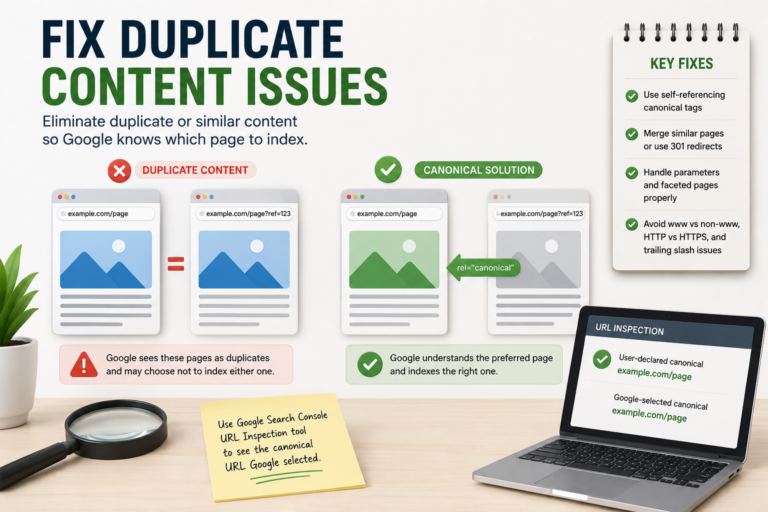
Google often skips pages it sees as duplicates or near duplicates.
Fixes:
- Use self-referencing canonical tags on the preferred version.
- Merge similar pages or use 301 redirects.
- For localized or parameterized pages, properly canonicalize or noindex the non-essential ones.
- Check for accidental duplication from www vs non-www, HTTP vs HTTPS, or trailing slashes.
Pro tip: Use the URL Inspection tool in Search Console to see what Google considers the canonical URL.
3. Strengthen Internal Linking
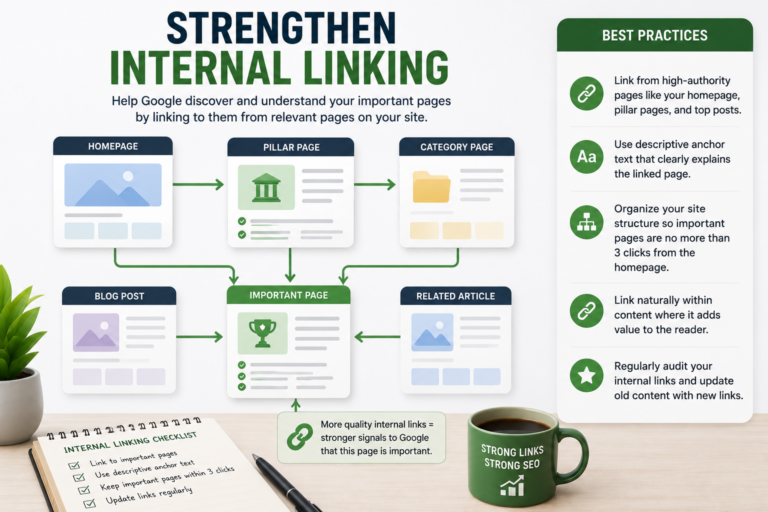
Pages with weak internal links often get deprioritized because Google sees them as less important.
What to do:
- Link to the affected page from high-authority pages on your site (homepage, pillar content, relevant blog posts).
- Use descriptive anchor text.
- Improve overall site architecture so important pages are no more than 3 clicks from the homepage.
Strong internal linking signals to Google that the page belongs in the index.
4. Check for Technical Blocks
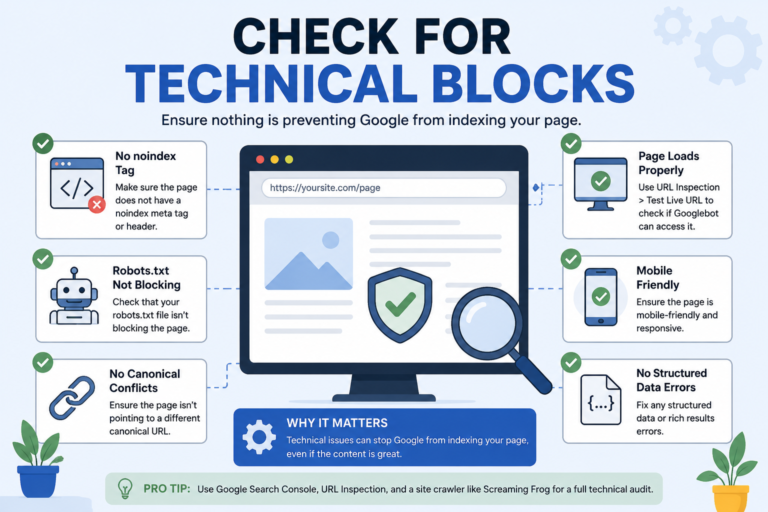
Even if crawled, technical signals can prevent indexing.
Quick audit checklist:
- No noindex meta tag or X-Robots-Tag: noindex header.
- Robots.txt isn’t blocking the page.
- No conflicting canonical tags.
- Page loads properly for Googlebot (check with URL Inspection > “Test Live URL”).
- Fix any structured data errors or mobile usability issues.
Run a full site crawl with tools like Screaming Frog to catch hidden problems.
5. Optimize Page Speed and Core Web Vitals
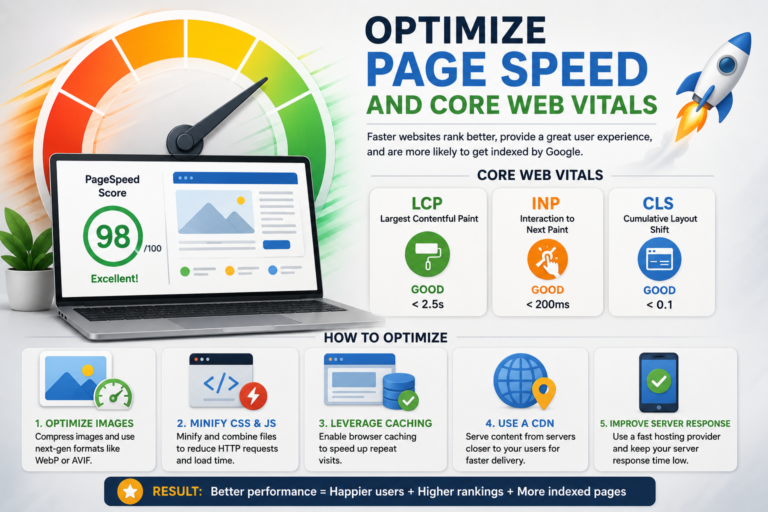
Slow or poor performing pages are less likely to be indexed, especially on mobile.
Improvements:
- Compress images and enable next-gen formats (WebP/AVIF).
- Minify CSS/JS and leverage browser caching.
- Improve Largest Contentful Paint (LCP) and Cumulative Layout Shift (CLS).
- Use a CDN if needed.
Better technical performance = stronger indexing signals.
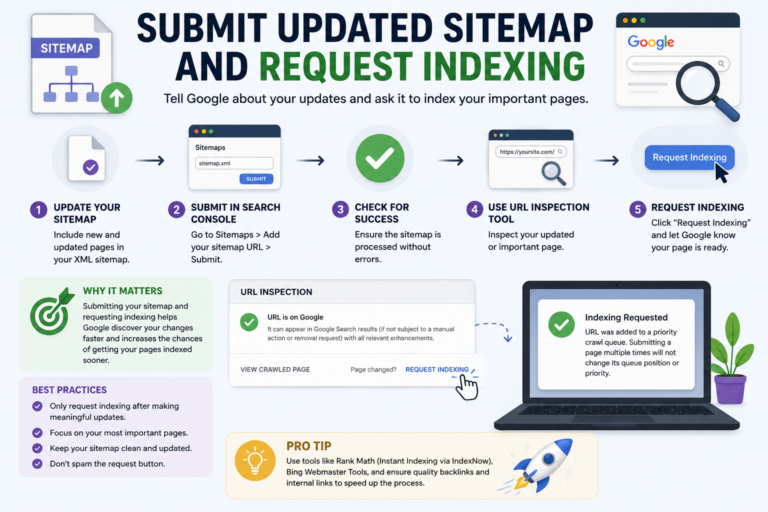
6. Submit Updated Sitemap and Request Indexing
After making changes:
- Update and resubmit your XML sitemap in Search Console.
- Use the URL Inspection tool → “Request Indexing” (this works best after meaningful updates).
- For WordPress users, tools like Rank Math offer Instant Indexing via IndexNow.
Note:
Don’t spam the request indexing button, make real changes first.
7. Reduce Publishing Velocity (Especially for Newer Sites)
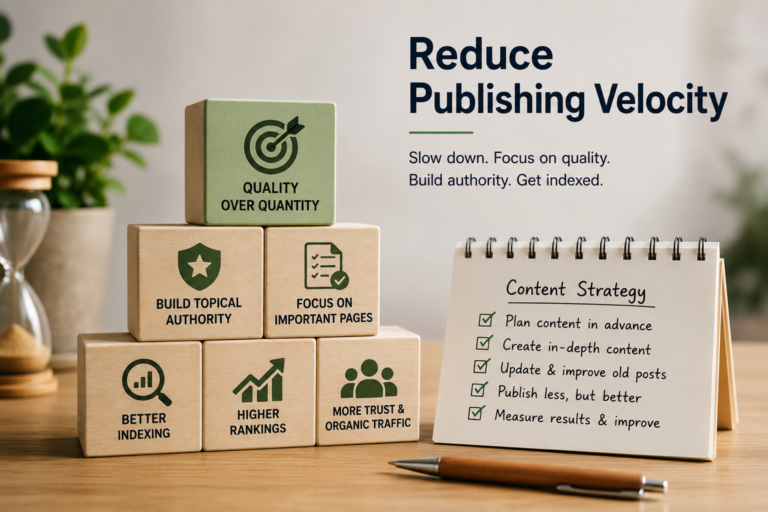
If you’re publishing too many pages too quickly, Google may crawl but hold off on indexing to assess quality.
Solutions:
- Slow down content production and focus on quality over quantity.
- Prioritize your most important pages.
- Build topical authority in your niche before expanding.
This is particularly relevant for new sites or those recovering from algorithm updates.
Bonus Tips That Helped Others
- Build high-quality external backlinks to boost authority.
- Monitor for manual actions or penalties in Search Console.
- Be patient, indexing can take days to weeks after fixes.
- Track progress in the Pages report and re-validate after 2–4 weeks.
My Recomendations:
Focus on Value, Not Shortcuts
“Crawled But Currently Not Indexed” is Google’s polite way of asking for better content and better site signals. By addressing quality, technical health, and discoverability, most pages can get indexed successfully.
The sites that win long-term are those that consistently create content users actually want to read and share.
Have you faced this issue on your site? Drop your experience or specific URL (if comfortable) in the comments , I’d love to hear what worked for you!
FAQ
Is “Crawled But Currently Not Indexed” a penalty?
No, it is not a manual penalty. It simply means Google has crawled the page but chosen not to index it at this time, usually due to quality, relevance, or site signals.
How long does it take for a page to get indexed after fixes?
It varies. Some pages get indexed within a few days after requesting indexing, while others may take 2–4 weeks or longer. Be patient and continue monitoring Search Console.
What’s the difference between “Crawled But Currently Not Indexed” and “Discovered But Currently Not Indexed”?
“Crawled” means Google has already visited and processed the page. “Discovered” means Google knows about the page (via sitemap or links) but hasn’t crawled it yet. The former gives more insight into potential quality issues.
Should I keep requesting indexing repeatedly?
No. Repeated requests without making significant improvements won’t help and may be ignored. Focus on fixing the underlying issues first.
Can thin or AI-generated content cause this?
Yes. Google is very strict about low-value, thin, or unoriginal content. Pages must demonstrate real value and satisfy user intent to earn a spot in the index.
Do I need backlinks to get these pages indexed?
Backlinks help with authority, but they are not always required. Strong on-page quality, internal linking, and technical optimization often suffice for many sites.
What if nothing works after trying all fixes?
Audit your entire site for broader issues (crawl budget, site quality, recent algorithm updates). Consider consulting an SEO professional or focusing efforts on your strongest pages.