
Creating images for every WordPress article can eat up a surprising amount of time.
You have to find the right stock photo, check the license, download it, resize it, rename it, upload it, and then add it to your post.
AI image generator plugins cut out much of that work.
You can describe the image you need and generate it from inside WordPress. Some plugins can also create featured images automatically, while others let you search stock libraries and import images directly into your Media Library.
But the plugins aren’t all doing the same thing.
Some are built mainly for featured images. Others work inside Gutenberg. A few connect multiple AI providers, while newer options can use WordPress’s own AI infrastructure.
So which ones are actually worth using in 2026?
Here are 7 top AI image generator plugins for WordPress worth looking at.
1. Generate Images (AI) – Magic Post Thumbnail
Best for: Automatic featured images
Generate Images (AI) is one of the more established options in this category, with 5,000+ active installations on WordPress.org.
The plugin can generate featured images from your post title and supports several image sources, including AI-generated images and stock sources. It can also work automatically, in bulk, or directly inside Gutenberg.
That makes it useful if you publish frequently and don’t want to create every featured image manually.
Key features
- Automatic featured image generation
- Gutenberg support
- Bulk image generation
- Image generation based on post titles
- Multiple image sources
- Support for GPT Image
If your main goal is getting a suitable featured image onto every post, this is one of the first plugins I’d test.
2. Instant AI Image Generator
Best for: AI generation plus stock image search
Instant AI Image Generator takes a slightly different approach.
You can generate images with AI, but you can also search and import images from several free image sources without leaving the WordPress dashboard.
The plugin currently supports sources including Pixabay, Pexels, Wikimedia, Unsplash, Openverse, and Giphy. It also supports AI image generation through OpenAI and Google Gemini.
That’s handy when you don’t necessarily need an AI-generated image.
Sometimes the right photograph already exists.
Key features
- AI image generation
- OpenAI GPT Image support
- Google Gemini image generation
- Pixabay search
- Pexels search
- Unsplash search
- Openverse search
- Wikimedia search
- Direct import into Media Library
The plugin has also received recent updates for WordPress 7.0 and current AI providers.
3. AI Featured Image
Best for: One-click featured images
AI Featured Image focuses heavily on featured-image generation.
You can generate an image from the WordPress editor using your post title, a selected style, and an optional prompt. The plugin also supports OpenAI, Stability AI, and Grok/xAI, with Google Gemini available in its Pro version.
It can also create images in bulk from the Posts screen.
That’s useful if you’ve already published a large number of posts without proper featured images.
Key features
- One-click featured images
- OpenAI support
- Stability AI support
- Grok/xAI support
- Google Gemini with Pro
- Custom prompts
- Bulk generation
- Automatic alt text
- SEO-friendly filenames
- Inline AI image block
The automatic alt text and filename features are useful additions for bloggers who want to clean up their media workflow at the same time.
4. Image Generator
Best for: Gutenberg image generation and templates
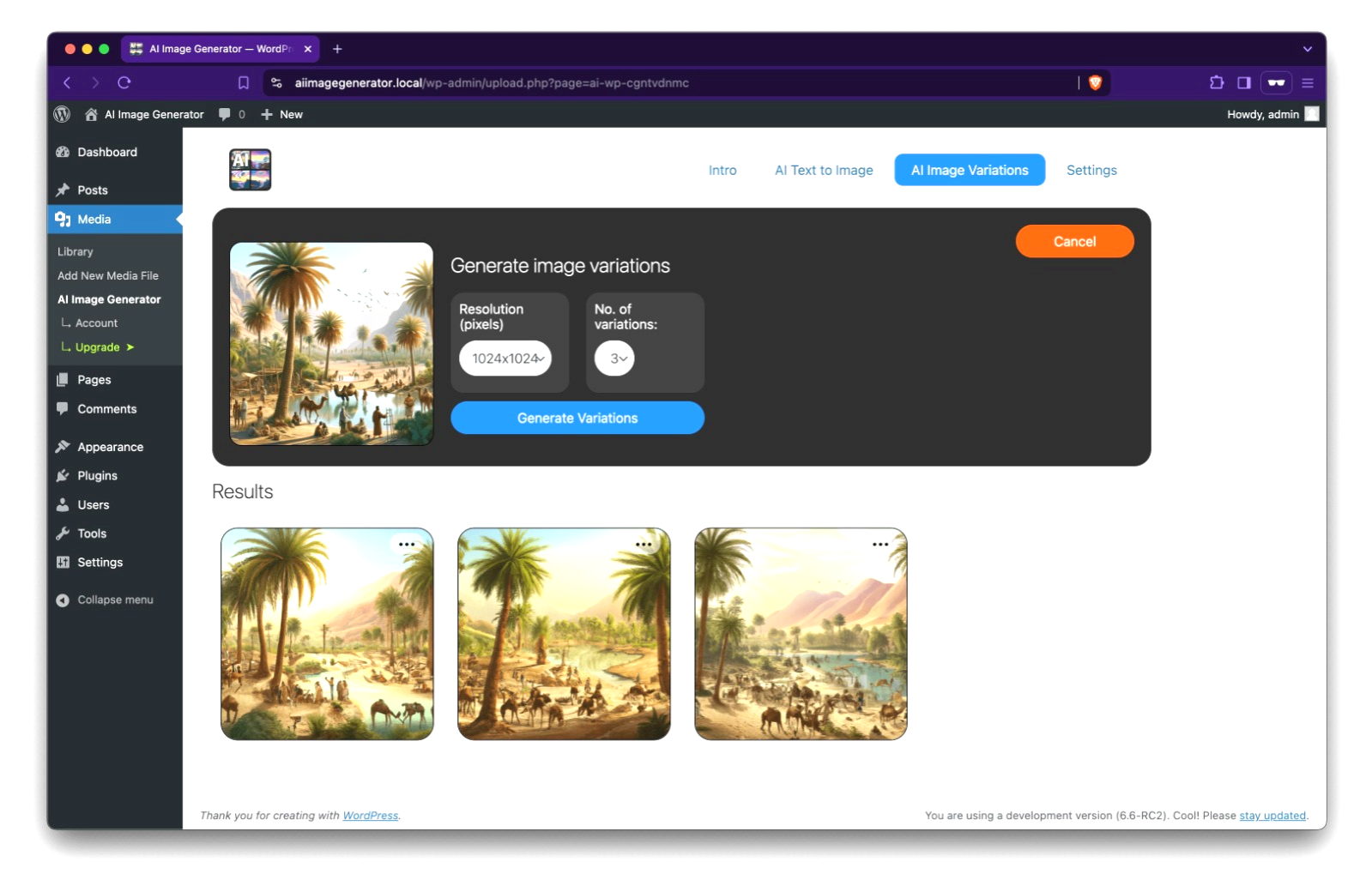
Image Generator by BeautifulPlugins lets you create images directly inside the WordPress block editor.
You can enter your own prompt or use saved templates. The plugin can also automatically generate featured images when a post or page doesn’t already have one.
It supports OpenAI image generation and has REST API support for automation and headless WordPress setups.
Key features
- Gutenberg integration
- Custom AI prompts
- Automatic featured images
- Reusable image templates
- Media Library generation
- REST API support
- OpenAI image models
- Custom image dimensions
The plugin has been actively updated in 2026 and is currently tested with WordPress 7.1.
5. Media Lume
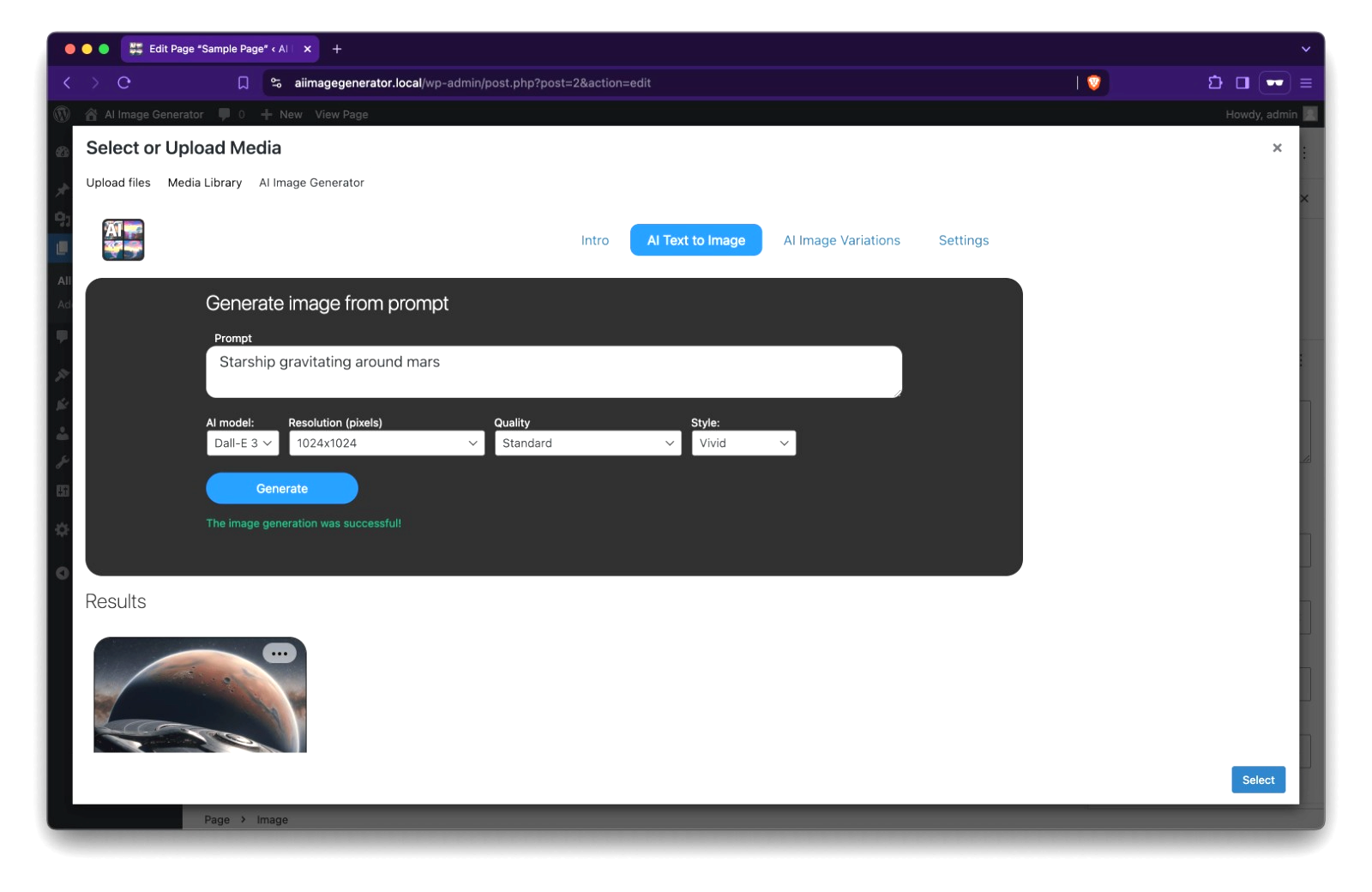
Best for: Generating images directly in the Media Library
Media Lume is designed around the WordPress Media Library.
Instead of generating an image somewhere else and uploading it afterward, you can create the image from within WordPress and save it directly to your media collection.
The plugin’s WordPress.org listing says it supports models and services including Flux, Ideogram, and Recraft, without requiring users to add an API key.
Key features
- AI image generation
- Media Library integration
- Flux support
- Ideogram support
- Recraft support
- No API key according to its listing
This is worth considering if you already manage most of your images through WordPress Media Library.
6. AI Auto Post & Image Generator
Best for: Automated content and image workflows
AI Auto Post & Image Generator goes beyond image creation.
It can generate WordPress content and images together, then schedule posts hourly, daily, weekly, monthly, or for a specific publishing time.
For a large publishing operation, that can save time.
But I’d be careful with fully automated publishing.
Generating an image automatically is one thing. Publishing hundreds of AI-written pages without human review is another.
Key features
- AI content generation
- AI image generation
- OpenAI support
- Google Gemini support
- Pollinations support
- Leonardo.AI support
- Scheduled publishing
- Custom publishing times
This one makes more sense for users who specifically need automation rather than simply wanting an AI image generator.
7. WordPress AI Client + Image Generation Plugins
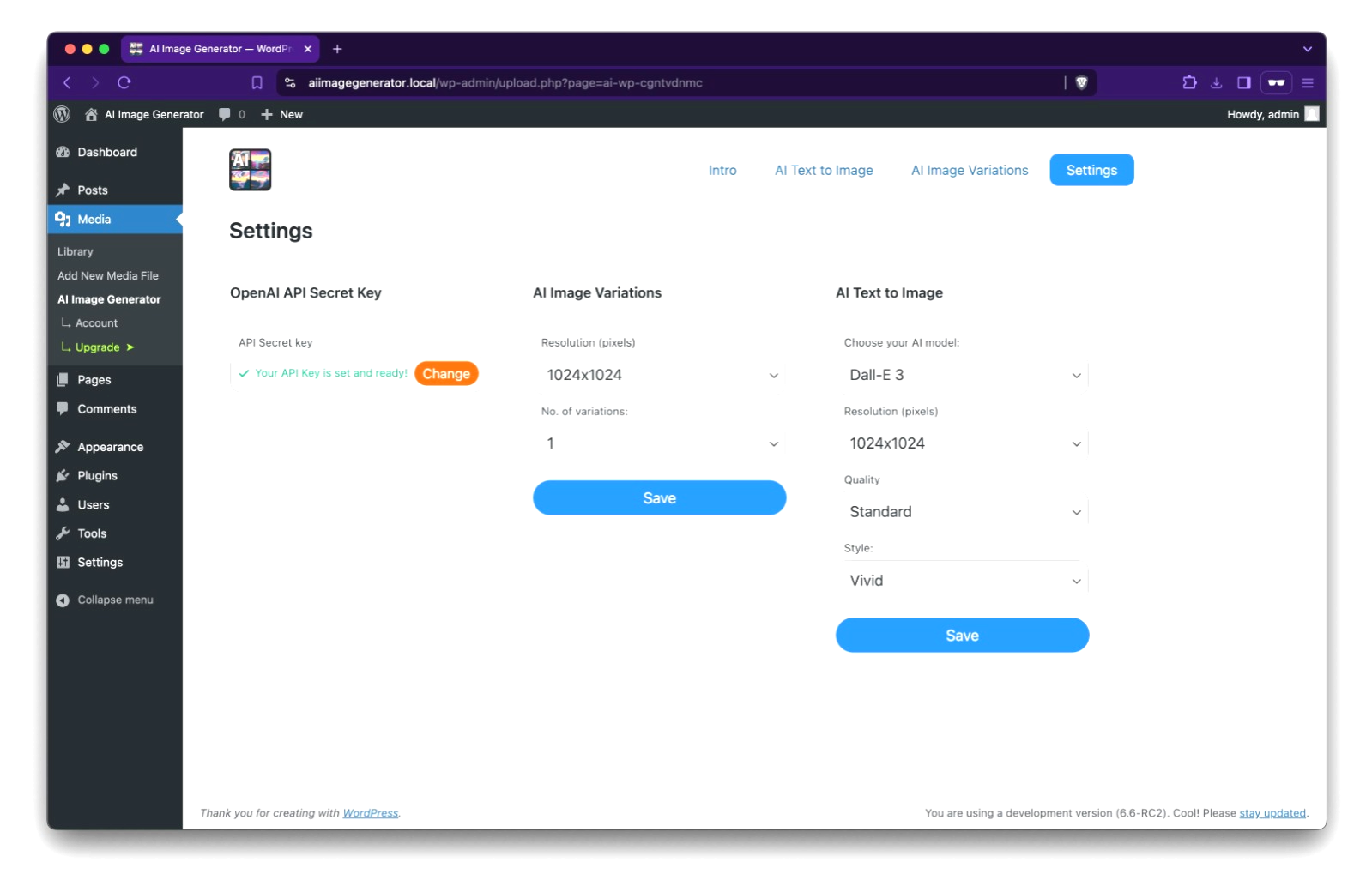
Best for: A more future-facing WordPress setup
WordPress 7.0 introduced a built-in AI Client for connecting WordPress plugins to AI providers. The API is designed to be provider-agnostic, so plugins don’t have to build completely separate integrations for every AI service.
The official WordPress AI plugin is also available on WordPress.org and has added image-generation support through its AI infrastructure.
There are already plugins using this system.
For example, Waypoint Royalty Free Image Generator uses the AI provider connected to the site’s WordPress AI Client and saves generated images directly into the Media Library.
This approach is interesting because AI image models keep changing.
A plugin tied tightly to one old model can become outdated quickly. A provider-based setup gives WordPress developers more room to switch models.
Quick comparison
| Plugin | Best for | AI images | Featured images | Stock search | Automation |
|---|---|---|---|---|---|
| Generate Images (AI) | Featured images | Yes | Yes | Yes | Yes |
| Instant AI Image Generator | Images + stock | Yes | Yes | Yes | Limited |
| AI Featured Image | Featured images | Yes | Yes | No | Yes |
| Image Generator | Gutenberg | Yes | Yes | No | Yes |
| Media Lume | Media Library | Yes | Yes | No | Limited |
| AI Auto Post & Image Generator | Content automation | Yes | Yes | No | Yes |
| WordPress AI Client tools | AI infrastructure | Yes | Depends on plugin | Depends on plugin | Depends on plugin |
Which AI image plugin should you choose?
The best choice depends on what you’re trying to automate.
For blog featured images
Start with Generate Images (AI) or AI Featured Image.
Both focus heavily on creating images for posts, which makes them a better fit for a regular blog.
For stock images and AI images
Try Instant AI Image Generator.
Having stock search and AI generation in the same WordPress dashboard is useful when you don’t want every image on your site to look AI-generated.
For Gutenberg
Image Generator is a strong option if you want to generate images while you’re writing a post.
You don’t have to leave the editor, create the image somewhere else, download it, and upload it again.
For automated publishing
AI Auto Post & Image Generator is the obvious choice from this list.
Just keep a human review step in your workflow before anything goes live.
For a newer WordPress AI setup
Look at plugins built around the WordPress AI Client.
WordPress is moving toward a provider-agnostic AI system, so this area is likely to become more interesting as more plugins adopt it.
Are AI-generated images good for WordPress SEO?
They can be.
The fact that an image was generated with AI doesn’t automatically make it useful for SEO.
The image still needs to fit the page.
Use a descriptive filename, appropriate alt text, sensible dimensions, and a compressed file format. Don’t generate a random decorative image just to fill an empty space.
For example, if you’re writing about Jinko solar panels, a custom image showing realistic solar panels on a rooftop can make more sense than a generic AI picture of a futuristic city.
Context matters.
Should you use an AI plugin for every image?
Probably not.
AI-generated images work well for:
- Blog featured images
- Concept illustrations
- Diagrams
- Hero images
- Custom scenes
- Blog graphics
Stock photography can still be better for things that need to look like real photography, especially people, real businesses, locations, or products where accuracy matters.
You can also mix both.
Use an AI-generated hero image for one article and a properly licensed real photograph for another.
One thing to check before installing an AI image plugin
Look at the plugin’s update history.
AI image models change quickly. Some older WordPress plugins still advertise models that have already been retired or replaced.
That’s already happening in 2026. For example, current WordPress plugins have had to move from older DALL·E integrations to newer GPT Image models.
Also check:
- When was the plugin last updated?
- What WordPress version does it support?
- Which AI provider does it use?
- Do you need your own API key?
- Where are API requests processed?
- Does it store generated images in Media Library?
- Does it add alt text?
- Does it support bulk generation?
- Does it have a clear privacy policy?
Those details matter more than a flashy plugin description.
Final verdict
If you want a simple AI image workflow for a WordPress blog, Generate Images (AI) is a good starting point.
For AI generation plus stock-image search, Instant AI Image Generator is more flexible.
For automatic featured images, AI Featured Image is worth testing.
And if you’re building a newer WordPress installation around the platform’s AI infrastructure, keep an eye on the WordPress AI Client ecosystem.
AI image generation is moving quickly, so don’t choose a plugin only because it supports a particular model today. Pick one that has a sensible WordPress workflow and is being maintained as the underlying AI services change.
FAQs
What is an AI image generator plugin for WordPress?
An AI image generator plugin lets you create images from text prompts directly inside your WordPress dashboard. Depending on the plugin, you can use the generated image in a post, save it to the Media Library, or set it as a featured image.
Can I generate images directly inside WordPress?
Yes. Several WordPress plugins let you generate images without leaving the WordPress dashboard. Some work inside Gutenberg, while others add image generation to the Media Library.
What is the best AI image generator plugin for WordPress in 2026?
There isn’t one best plugin for every website. AI Featured Image is a good choice for automatic featured images, while Instant AI Image Generator is useful if you want both AI generation and stock-image search.
Do AI image generator plugins require an API key?
It depends on the plugin. Some require an API key for services such as OpenAI or Google Gemini, while other plugins can generate images through their own or connected services without requiring you to enter a separate key.
Can AI-generated images be used as WordPress featured images?
Yes. Several plugins are specifically designed to generate and assign AI images as WordPress featured images. Some can even generate featured images in bulk for existing posts.
Are AI-generated images good for WordPress SEO?
AI-generated images can work well for WordPress SEO when they’re relevant to the page and properly prepared. Use descriptive filenames, useful alt text, suitable dimensions, and compressed image formats.
Can I use AI-generated images commercially?
That depends on the AI provider and its current terms. Check the terms of the specific service or model you’re using before publishing images commercially.
Do AI image plugins automatically add alt text?
Some do. For example, AI Featured Image can automatically create alt text from the post title, image prompt, or a custom template.
Can AI image plugins create images inside Gutenberg?
Yes. Several plugins add AI image generation directly to Gutenberg. You can generate an image while editing the post and insert it into an Image block or use it as the featured image.
Should I use AI-generated images for every WordPress post?
You can, but you don’t have to. Use AI images when a custom visual makes the article better. For real people, locations, products, or situations where accuracy matters, a properly licensed real photograph may be the better choice.