
Choosing the best AI writer for SEO can save you hours of work when planning and writing blog posts. The right tool can help you prepare an outline, write a first draft, improve readability, and review your content before publishing.
But each tool has a different purpose. Some focus on writing, while others help you research search results and improve on-page SEO.
For beginner bloggers, ChatGPT is a good starting point. If you need dedicated content analysis, consider Surfer SEO. Frase is another option for researching topics and preparing content briefs.
The best choice depends on your budget, the type of content you publish, and the work you want the tool to handle.
What is the best AI writer for SEO?
The best AI writer for SEO depends on your content workflow. ChatGPT is suitable for general writing assistance, Surfer SEO focuses on on-page content analysis, and Frase helps with content research and planning.
Table of Contents
Here are 5 tools worth comparing before you choose one for your website.
| AI writing tool | Best for | Main use |
|---|---|---|
| ChatGPT | Beginner bloggers | Outlines, article drafts, editing, and FAQs |
| Surfer SEO | On-page SEO | Content analysis and search-based recommendations |
| Frase | Content research | Research briefs, outlines, and AI-assisted writing |
| Jasper | Marketing teams | Brand-focused marketing content |
| Writesonic | SEO content workflows | AI writing and search-related content tasks |
These recommendations reflect the tools’ intended uses, rather than a controlled test of their ability to improve Google rankings. Check each product’s current features and subscription details before purchasing.
1. ChatGPT: best AI writer for beginner bloggers
ChatGPT is a general-purpose AI assistant that can help with nearly every stage of preparing a blog post.
Visit the official ChatGPT website.
You can use it to plan an article, rewrite unclear paragraphs, generate title ideas, prepare meta descriptions, and develop FAQs. It can also help you explain technical SEO topics in language beginners can understand.
How to use ChatGPT for SEO writing
Suppose you’re preparing an article about WordPress SEO plugins.
Start by giving ChatGPT the focus keyword, target audience, search intent, and the questions your article needs to answer. Ask it to prepare an outline before drafting the article.
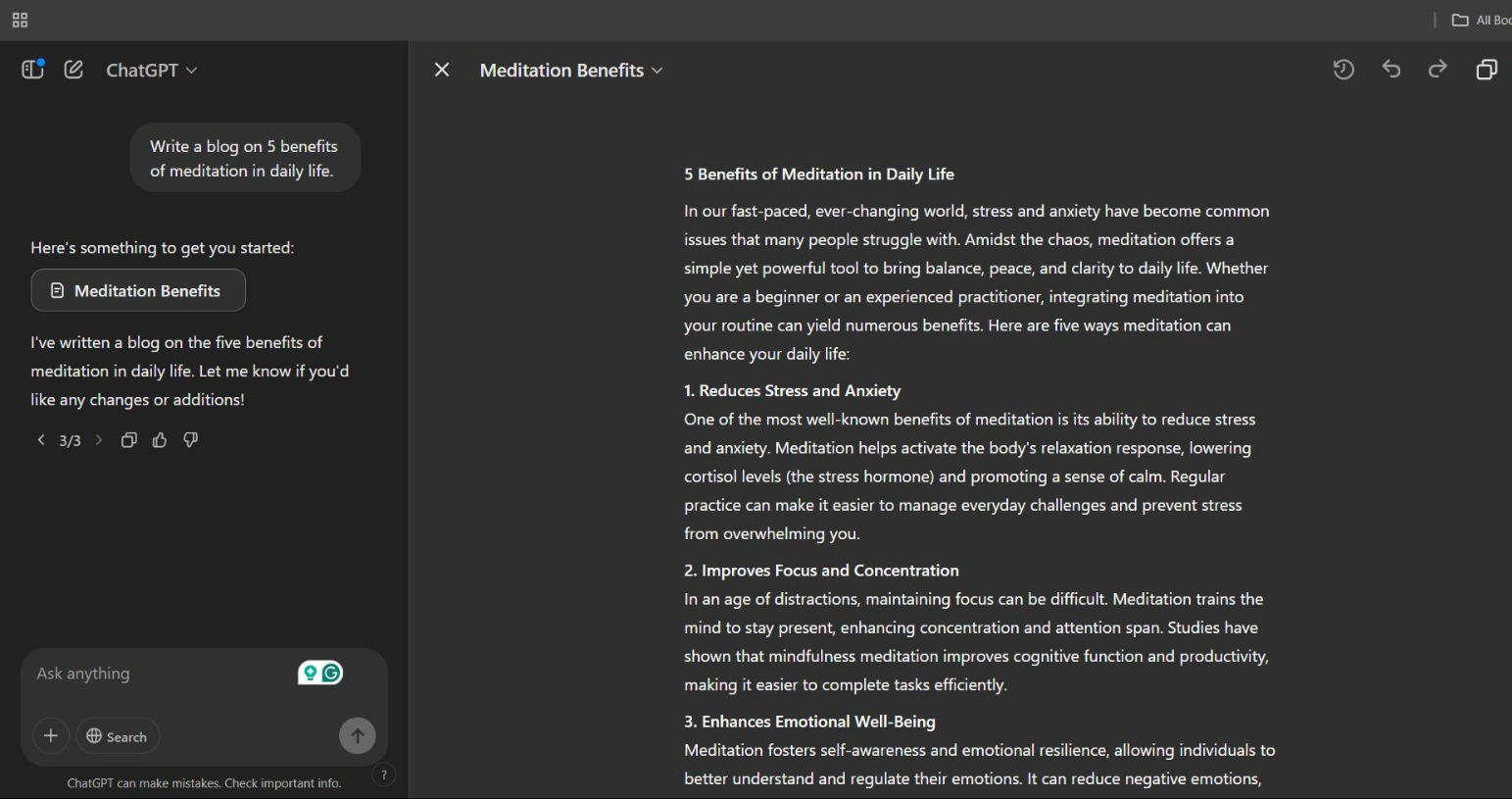
For example, use this prompt:
Act as an SEO content writer for a beginner-friendly digital marketing blog. Create an outline for an article targeting the keyword “WordPress SEO plugins.” Identify the search intent, suggest useful H2 and H3 headings, explain which questions the article should answer, and recommend practical examples. Avoid repetitive headings, keyword stuffing, and unsupported claims.
Review the outline before asking for a full draft.
You can then work through the article section by section, checking facts and adding examples that make sense for your readers.
Pros of ChatGPT
- Helps with outlines, drafts, and editing.
- Can follow detailed writing instructions.
- Works for many blog topics and content formats.
- Helps prepare SEO titles, meta descriptions, and FAQs.
Cons of ChatGPT
- Can produce incorrect or outdated information.
- Doesn’t automatically provide reliable keyword search-volume data in every workflow.
- Needs a clear brief to produce focused content.
- May repeat common advice without adding enough detail.
Who should use ChatGPT?
ChatGPT is a good choice for bloggers, freelancers, and small business owners who need help writing articles without immediately purchasing a specialist SEO writing platform.
Pair it with keyword research and Google Search Console when you need real search performance data.
2. Surfer SEO: best for on-page content optimization
Surfer SEO helps writers analyze website content and review recommendations related to the search query they want to target.
Visit Surfer SEO.
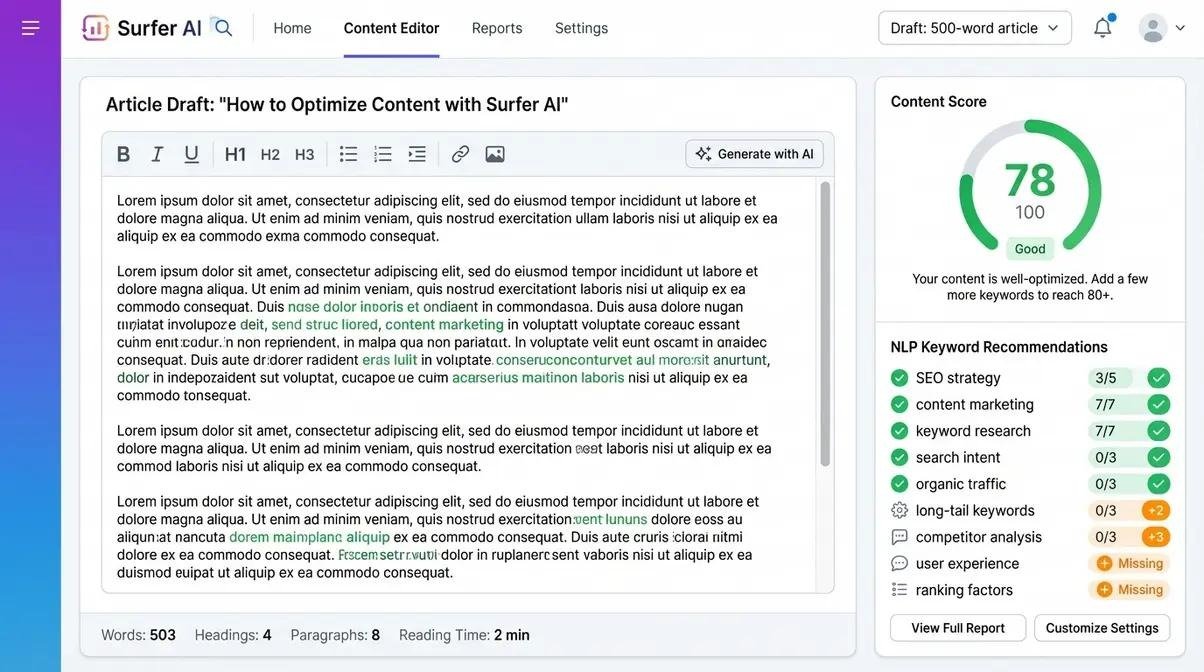
Its content tools can help you identify relevant terms, review topic coverage, and improve a draft while you write.
How Surfer SEO helps with blog posts
Suppose you’ve written an article targeting “best WordPress SEO plugins.”
You can review the draft using its content analysis tools and look for relevant subtopics that need more explanation. You might find that your article compares features but doesn’t explain which type of website would benefit from each plugin.
You can then improve the article where the missing information would help readers.
Typical tasks include:
- Reviewing content against search-related recommendations.
- Identifying potentially missing topics.
- Improving the structure of existing articles.
- Reviewing drafts before publication.
Pros of Surfer SEO
- Useful for reviewing existing content.
- Helps writers identify possible content gaps.
- Supports a more structured editing process.
Cons of Surfer SEO
- Recommendations still require editorial judgment.
- A high content score doesn’t guarantee better rankings.
- Paid access may be difficult to justify for a new blog.
Who should use Surfer SEO?
Consider Surfer SEO if you publish regularly and want dedicated tools for reviewing on-page content.
Use its recommendations to improve clarity and topic coverage. Avoid adding unnecessary phrases simply to raise a score.
3. Frase: best for SEO research and content briefs
Frase combines content research with AI-assisted writing. It’s useful when you need to understand a topic and organize your ideas before drafting an article.
Visit Frase.
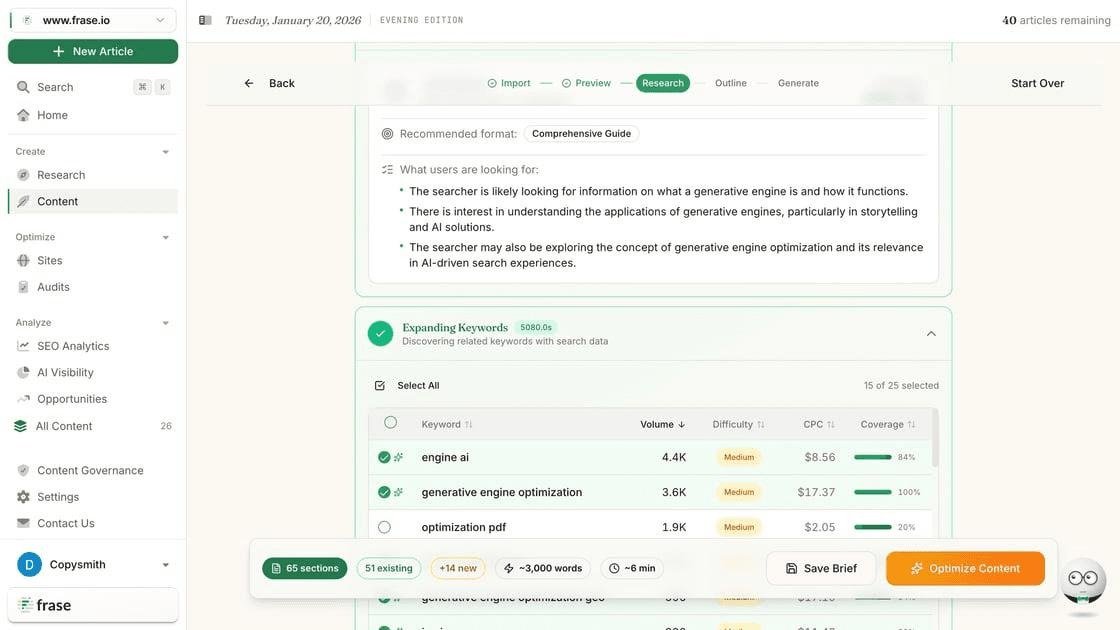
For example, imagine you’re writing a beginner’s guide to technical SEO. You need to decide whether to cover XML sitemaps, indexing, crawlability, canonical URLs, and website speed.
A research brief can help you organize those subjects and identify questions your article should answer.
What can you do with Frase?
Depending on the features available in your plan, you can use Frase to:
- Prepare content briefs.
- Research search-result topics.
- Organize article outlines.
- Generate draft content.
- Review existing content for missing information.
The research stage is especially useful when you’re working on a topic that needs careful planning.
Pros of Frase
- Combines research and writing tasks.
- Helps organize large topics into clear sections.
- Can reduce the time spent preparing article briefs.
Cons of Frase
- Research suggestions need fact-checking.
- Available features and usage limits depend on your plan.
- Occasional bloggers may not need a dedicated research platform.
Who should use Frase?
Frase is worth considering if you regularly move from keyword research to detailed content briefs and want to manage more of that work in one platform.
It’s also worth evaluating for freelance writers who prepare outlines for clients.
4. Jasper: best for marketing teams
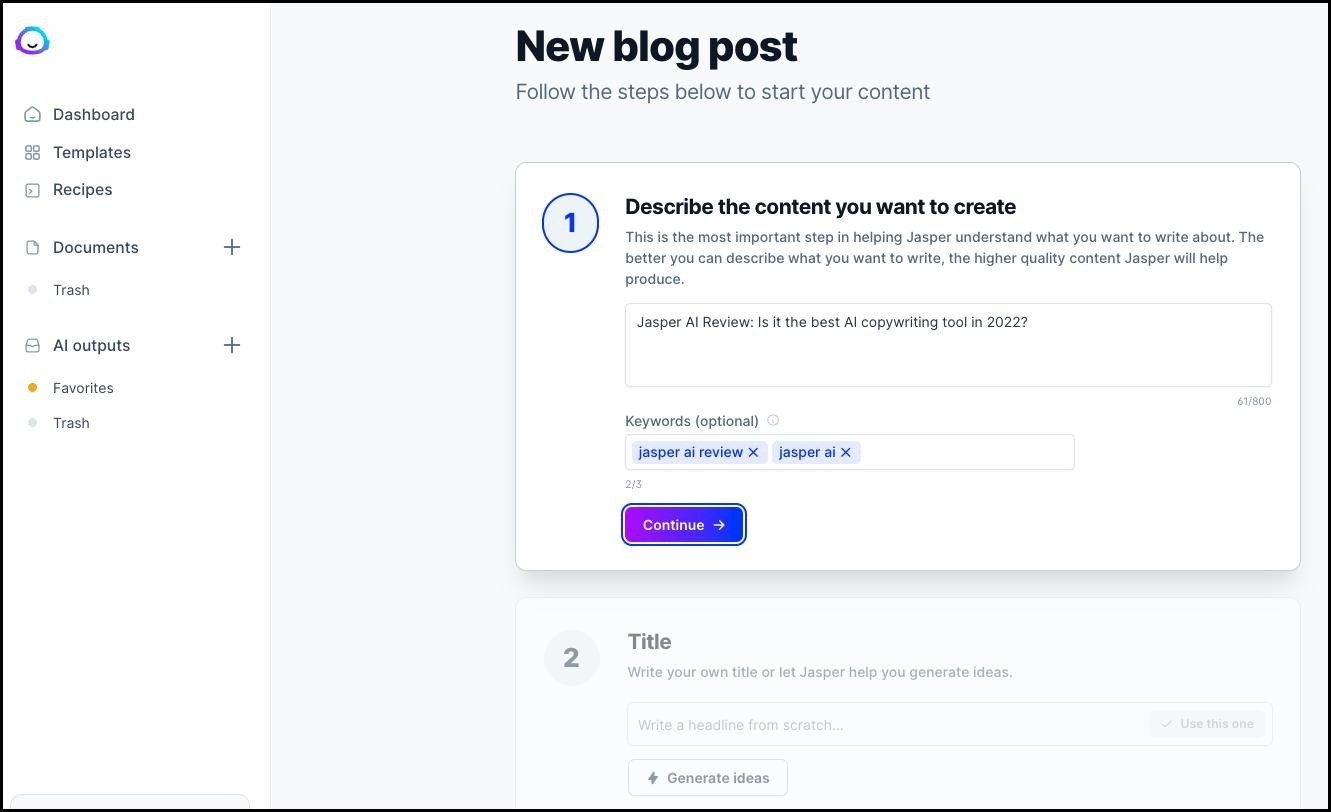
Jasper is an AI writing platform designed for marketing content and brand-focused workflows.
Visit Jasper.
A marketing agency might need to produce blog posts, landing pages, product descriptions, and campaign content while maintaining a consistent brand voice. Jasper is worth considering for teams with these requirements.
How Jasper can help with SEO content
You can provide a target keyword, describe the audience, and prepare a brief before generating a draft.
Jasper can assist with marketing-oriented writing, including:
- Blog content.
- Website copy.
- Product and service descriptions.
- Campaign messaging.
- Content that follows defined brand guidelines.
The final article still needs a review for search intent, factual accuracy, and originality.
Pros of Jasper
- Designed for marketing-focused writing.
- Useful for teams with established brand guidelines.
- Can support repeatable content workflows.
Cons of Jasper
- May be expensive for individual bloggers.
- Dedicated SEO research requirements may call for additional tools.
- Generated content needs human review before publication.
Who should use Jasper?
Jasper is worth evaluating if you manage a marketing team or agency and regularly create content that must follow specific brand guidelines.
If you run a small blog, compare its current cost with a general-purpose writing assistant before subscribing.
5. Writesonic: best for SEO content workflows
Writesonic provides AI writing tools alongside features related to SEO and search visibility.
Visit Writesonic.
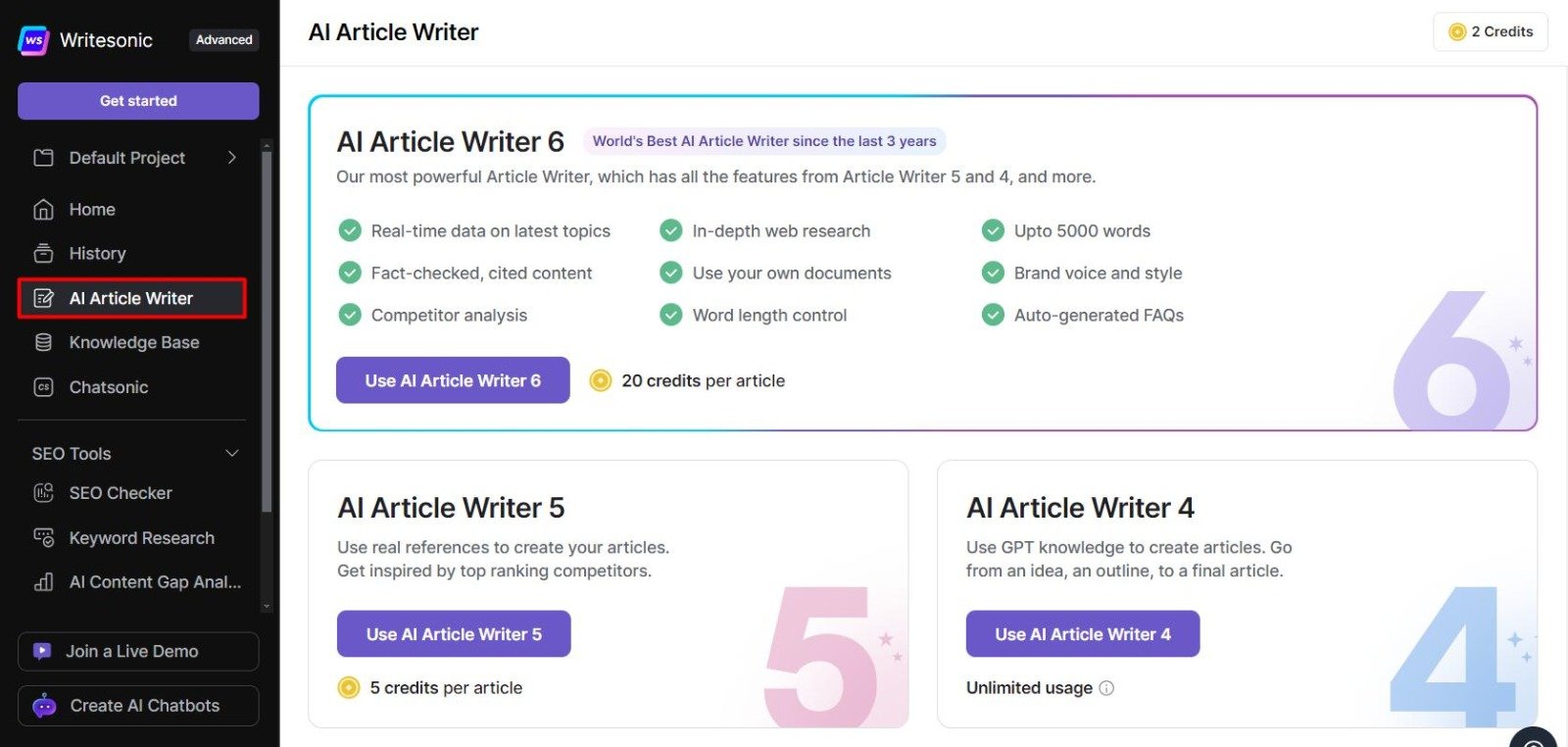
It may suit publishers who want writing assistance and SEO-related tasks within the same platform. The exact functions available depend on the current product and subscription plan.
How Writesonic can help
Suppose you’re preparing an article about small business SEO.
You can begin with a clear brief, develop an outline, generate a draft, and review the content before publication. Depending on the features available, Writesonic can support article writing and related search-focused workflows.
Possible uses include:
- AI-assisted article creation.
- Content editing.
- SEO content preparation.
- Search visibility research.
- Content planning and updates.
Check the official website for the current feature list before deciding whether it fits your workflow.
Pros of Writesonic
- Combines AI writing with SEO-related functions.
- May suit publishers who want a dedicated content platform.
- Can support repeatable writing tasks.
Cons of Writesonic
- Features and usage allowances vary by plan.
- AI-generated claims need independent verification.
- Some functions may overlap with tools you already use.
Who should use Writesonic?
Consider Writesonic if you want a dedicated platform for AI-assisted content creation and related SEO tasks.
Compare its current features with Frase and Surfer SEO before paying for a subscription.
Which AI writer is best for your website?
The right choice depends on the main problem you’re trying to solve.
| Your requirement | Recommended tool | Reason |
|---|---|---|
| You’re starting a blog | ChatGPT | Helps with planning, drafting, and editing |
| You want to review existing articles | Surfer SEO | Provides on-page content recommendations |
| You need research before writing | Frase | Helps prepare research briefs and outlines |
| You manage a marketing team | Jasper | Supports brand-focused writing |
| You want a dedicated AI content platform | Writesonic | Combines writing with SEO-related tasks |
For a beginner running a WordPress blog, I’d start with ChatGPT and a reliable keyword research process. Consider a paid SEO writing platform when you know which part of your workflow needs improvement.
You don’t need to subscribe to all 5 tools. Choose the one that fits your current workload.
How to choose the best AI writer for SEO
Before paying for a tool, evaluate its writing quality, research capabilities, editing controls, cost, and the time it saves you.
1. Check the writing quality
Ask the tool to prepare a sample article on a topic you know well.
Read the result carefully. Does it explain the subject accurately? Does it give practical advice? Are the examples relevant to your audience?
For a WordPress SEO blog, useful instructions might explain where to find a setting in the WordPress dashboard. General advice about publishing good content won’t answer every beginner’s question.
2. Review the research features
A good article starts with an understanding of the search query.
Someone searching for “how to fix a WordPress sitemap” probably wants clear troubleshooting instructions. A long explanation of the history of XML sitemaps would miss the main purpose of that search.
Review the search results, identify common questions, and use a keyword research tool to check available search data.
3. Check the editing controls
You should be able to revise headings, remove irrelevant sections, correct claims, and adjust the writing style.
Test the tool on an existing draft. This will show you whether it makes your editing process easier.
4. Compare subscription costs
Pricing changes, and some features are available only on specific plans.
Before subscribing, check the monthly cost, content limits, research features, WordPress compatibility, and cancellation terms.
Also consider whether the tool replaces an existing subscription or simply adds another expense.
5. Measure editing time
A draft produced quickly can still require substantial editing.
Test your shortlisted tools with the same article brief. Record the time required to review facts, improve the structure, remove repetitive sections, and prepare the final article.
Choose the tool that helps you produce better work within a reasonable amount of time.
How to use an AI writer to create an SEO-friendly blog post
You can use the following process with ChatGPT or another AI writing assistant.
Step 1: Research your focus keyword
Start with a specific search query.
For example, if your focus keyword is “best WordPress SEO plugins,” review the search results to understand what readers expect from a comparison.
They may want to compare features, ease of use, costs, and suitability for different types of websites.
Use an SEO research tool to check search-volume estimates and find related queries.
Step 2: Prepare a content brief
Give your AI writing tool the information it needs:
- Focus keyword.
- Target audience.
- Search intent.
- Questions the article should answer.
- Reliable sources for factual claims.
- Preferred writing style.
- Relevant internal links.
A clear brief helps the tool produce a more focused draft.
Step 3: Generate an outline
Ask the tool to suggest a logical H2 and H3 structure.
Review the headings before drafting. Remove sections that repeat the same point or don’t help the reader.
Step 4: Write the first draft
Generate the article section by section when the subject requires detailed explanations.
Ask the tool to use practical examples and explain unfamiliar terms in plain English. Check facts against reliable sources, especially when discussing Google policies, plugin features, or subscription costs.
Step 5: Review the on-page SEO
Before publishing, check that:
- The SEO title accurately describes the page.
- The H1 matches the article’s main topic.
- The focus keyword appears naturally.
- The meta description explains what readers will find.
- Headings follow a logical structure.
- Internal links lead to relevant pages.
- Images have descriptive alt text.
- The article is readable on mobile devices.
A WordPress SEO plugin can help you review some of these elements.
Step 6: Add practical information
Read the draft and identify where you can contribute something useful from your own work.
You might add screenshots of WordPress settings, examples of common errors, results from a test you performed, or a comparison based on official product documentation.
These details give readers something they can apply to their own websites.
Step 7: Review performance after publishing
Use Google Search Console to monitor impressions, clicks, search queries, and average position.
Review the data when enough information is available. If the article receives impressions but few clicks, examine whether its title and description accurately match the search intent.
If readers aren’t finding the information they need, review the article’s structure and explanations.
Can AI-written content rank on Google?
Yes. AI-assisted content can appear in Google Search results.
Google’s guidance focuses on the accuracy, originality, relevance, and usefulness of content. Its policies also address scaled content abuse, including producing large numbers of pages primarily to manipulate search rankings without providing meaningful value.
Read Google’s official guidance on generative AI content.
For your website, review every article before publication. Check factual claims, include useful examples, and make sure the page answers the question behind the search query.
An AI writing tool can help prepare a draft, but it can’t guarantee rankings or organic traffic.
Common mistakes to avoid when using AI for SEO
Publishing the first draft without fact-checking
AI tools can invent details, misunderstand technical concepts, or describe features that a product doesn’t have.
Verify important claims against reliable sources before publishing.
Repeating the focus keyword too often
Repeating the same phrase in every paragraph makes an article difficult to read.
Use the focus keyword naturally in relevant places and include related terms when they help explain the subject.
Ignoring search intent
A keyword might look relevant to your website while attracting readers who want something different from the content you plan to publish.
Review the search results and decide what information would answer the query.
Ignoring existing articles
Before writing a new post, check whether your website already covers the topic.
An existing article might need clearer instructions, updated screenshots, or more detailed explanations. Review its purpose and search performance before creating another page on the same subject.
Publishing similar articles at scale
Producing many articles with nearly identical advice can leave readers with little new information.
Give every page a clear purpose and review overlapping content before expanding a topic. Google’s helpful, reliable, people-first content guidance provides questions you can use to assess your work.
Final recommendation
ChatGPT is a practical starting point for beginners who need help with outlines, drafts, and editing. Frase is worth considering for content research, while Surfer SEO is a better fit for dedicated on-page content analysis.
Jasper suits marketing teams with brand requirements, and Writesonic is worth evaluating for its SEO-related writing features.
Choose based on your needs, check current subscription details, and review the quality of the finished articles before committing to a tool.
Frequently asked questions
1. What is the best AI writer for SEO?
ChatGPT is a good starting point for general blog writing. Surfer SEO and Frase are worth considering when you need dedicated content analysis or research features.
2. Can AI writers help articles rank on Google?
Yes, AI-assisted articles can rank in Google Search. Rankings depend on several factors, including relevance, content quality, competition, and technical accessibility. No AI writing tool guarantees rankings.
3. Is ChatGPT good for SEO content writing?
ChatGPT can help you prepare outlines, write drafts, create meta descriptions, and improve readability. Verify facts, research keywords using suitable tools, and edit the draft before publishing.
4. Which AI writer is best for beginners?
ChatGPT is a reasonable starting point because it can assist with several writing tasks. Beginners can start with a free plan where available and consider paid tools when their needs grow.
5. Can I use AI to write a complete blog post?
Yes. An AI writing assistant can prepare a complete first draft. Review it for accuracy, originality, search intent, and usefulness before publishing.
6. Is Surfer SEO better than ChatGPT?
They serve different purposes. ChatGPT is a general-purpose writing assistant, while Surfer SEO focuses on content analysis and SEO-related recommendations. Choose according to your workflow.
7. Do I need a paid AI writing tool for SEO?
No. You can start with a general-purpose writing assistant and free research resources. Consider a paid subscription when its features justify the cost.
8. Can Google penalize AI-generated content?
AI assistance alone doesn’t automatically violate Google’s policies. Producing large amounts of unoriginal content primarily to manipulate rankings can violate its scaled content abuse policy.
9. Which AI writer is best for long-form SEO articles?
ChatGPT, Jasper, Writesonic, and other writing platforms can assist with long-form articles. Test your shortlisted tools with the same brief and compare the editing time and quality of their drafts.
10. Should I edit AI-generated content before publishing?
Yes. Check factual claims, remove repetition, add relevant examples, verify external sources, and make sure the article answers the reader’s question.