
You publish more content. You target more keywords. You build more links.
Then your organic traffic stops growing.
So you publish another 20 articles.
That can make the problem worse.
A website with hundreds or thousands of pages can collect outdated posts, thin articles, duplicate topics, pages with no clicks, and content that no longer matches what people search for.
That’s where content pruning comes in.
Content pruning means reviewing your existing content and deciding what should stay, what needs improvement, what should be merged, and what should be removed or redirected.
Done properly, it can make a site easier to manage and give your strongest pages more room to perform.

What is content pruning?
Content pruning is the process of auditing old or underperforming pages and taking action based on their current value.
A page might have:
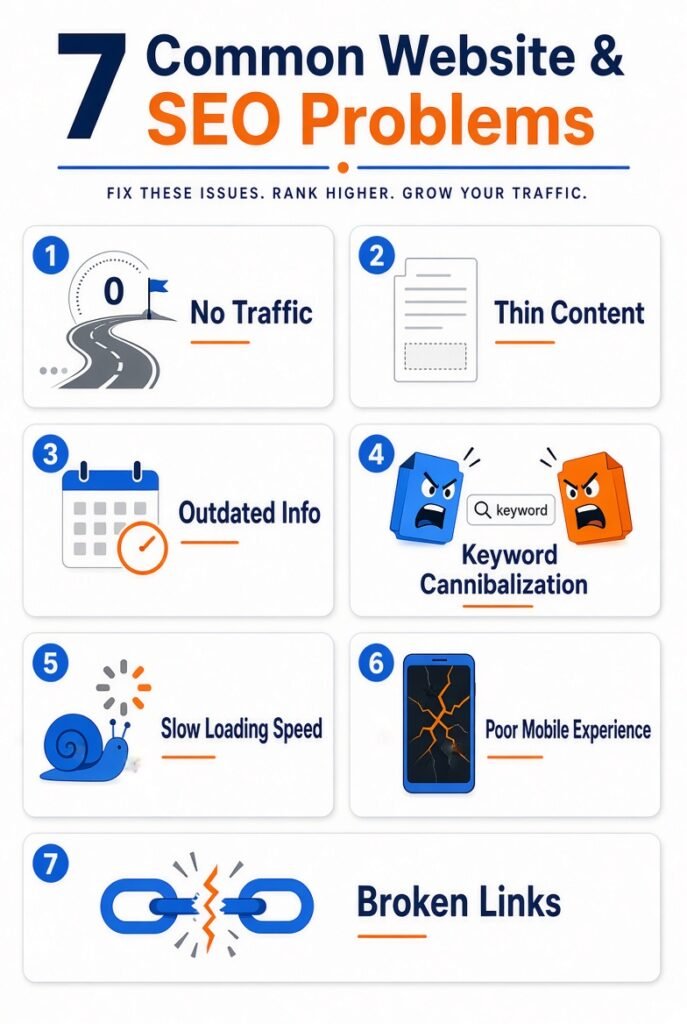
- No organic traffic
- No backlinks
- Very few impressions
- Outdated information
- Thin or repetitive content
- Search intent that has changed
- Another page targeting the same keyword
- Information that is no longer useful
You don’t automatically delete every page with low traffic.
That’s one of the easiest ways to damage a site.
The real job is figuring out why a page is underperforming and what action makes sense.
For example, an old article might receive only 10 visits a month but have 25 quality backlinks. Deleting it would throw away something useful.
Another page might get zero clicks, have no links, and cover a topic you’ve already written about 3 times.
That page is a much stronger pruning candidate.
Why content pruning can help SEO
Google has to crawl, process, and understand the pages on your website.
A large site with thousands of low-value URLs creates more content to manage.
Pruning can reduce unnecessary pages and improve the overall quality of the site’s content inventory.
It can also expose problems that aren’t obvious when you’re only looking at new content.
You might discover 4 articles targeting almost the same search intent.
Or an article written in 2021 that still ranks but contains statistics that are completely outdated.
Or a page that ranks on page 2 and could become a strong page with a proper rewrite.
The audit gives you that information.
Content pruning isn’t the same as deleting content
This distinction matters.
Deleting a page is only one possible action.
For each URL, you might choose to:
- Keep it if the page is performing well.
- Update it if the information is outdated.
- Improve it if the page has potential but weak content.
- Merge it with another page covering the same intent.
- Redirect it when another relevant URL should replace it.
- Remove it when the page has no useful purpose.
The right action depends on the page’s data and role.
Don’t create a rule like, “Delete everything that gets less than 10 visits.”
SEO doesn’t work that neatly.
How to find pages worth pruning
Start with your full URL inventory.
Export your site’s URLs from your CMS, sitemap, Google Search Console, or SEO crawler.
Then collect useful metrics for each page.
At minimum, look at:
- Organic clicks
- Organic impressions
- Average position
- Backlinks
- Referring domains
- Page age
- Conversions
- Internal links
- Keyword rankings
Google Search Console is especially useful here because it shows how Google users actually interact with your pages.
1. Find pages with no organic traffic
Start with URLs that haven’t generated meaningful organic clicks during a reasonable period.
For a small site, checking the last 6-12 months can give you enough data.
But don’t immediately delete them.
Ask why they receive no traffic.
Maybe the keyword has almost no search demand.
Maybe the page is blocked from indexing.
Maybe another page is competing for the same query.
Maybe the content simply needs a serious rewrite.
The reason matters more than the number.
2. Look for content decay
Some pages don’t fail suddenly.
They slowly lose traffic.
A post that generated 2,000 organic visits a month 2 years ago might now generate 300.
That’s content decay.
Compare historical traffic with current performance.
If impressions are falling too, the search demand or your rankings may have changed.
If impressions remain strong but clicks fall, your title and SERP position deserve attention.
If rankings dropped after competitors published better content, the page may need a substantial update.
3. Find keyword cannibalization
This is one of the most useful things you’ll discover during pruning.
Imagine you have these 3 articles:
- Best SEO Tools for Small Businesses
- SEO Tools Every Small Business Needs
- 15 SEO Tools for Small Business Websites
All 3 may target nearly the same search intent.
Instead of making 3 pages fight for similar queries, you may be better off combining them into one stronger resource.
Keep the strongest URL.
Move useful information from the other articles into it.
Then redirect the old URLs when appropriate.
Now you have one clear page instead of 3 competing pages.
How to decide whether a page should be deleted
Use several signals together.
A page becomes a stronger deletion candidate when it has:
- Little or no organic traffic
- No meaningful backlinks
- No conversions
- No strategic importance
- Little useful information
- No unique search intent
- No realistic opportunity for improvement
Even then, check whether the URL has external links or receives traffic from other sources.
A page can have little Google traffic and still be useful.
Maybe it brings direct visitors.
Maybe it supports a product funnel.
Maybe another website links to it.
SEO metrics don’t tell the whole story.
When you should update instead of delete
Keep a page when the underlying topic still matters.
Suppose you published:
“SEO Trends for 2023”
The article has backlinks and still receives impressions.
Deleting it may waste the authority and history attached to the URL.
Instead, check whether the topic can be refreshed.
You might turn it into:
“SEO Trends for 2026”
Update outdated examples, statistics, screenshots, recommendations, and sections.
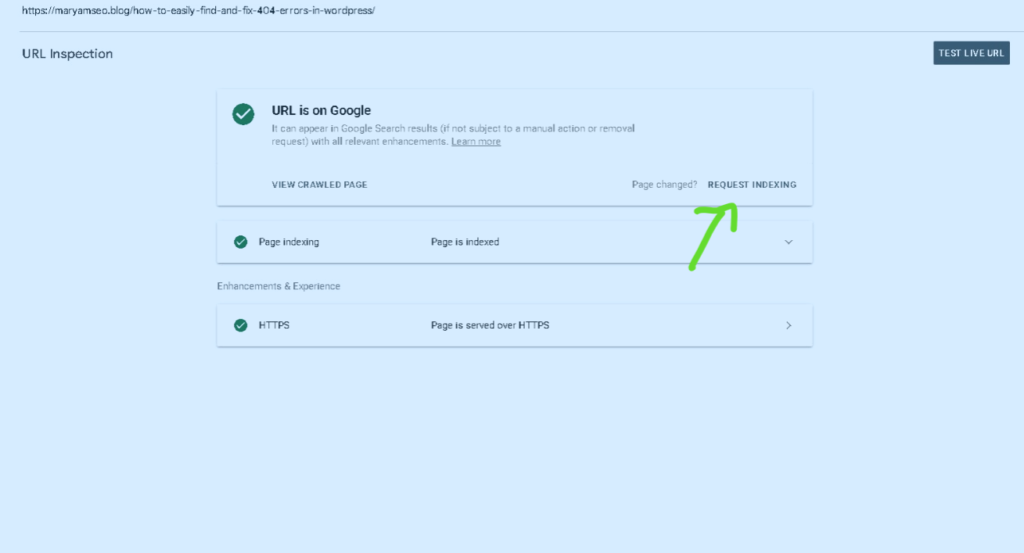
Then request indexing after the changes.
The URL already has history. Use it.
When merging content makes more sense
Content consolidation works well when multiple URLs cover the same search intent.
Let’s say you have:
Page A: How to Do Keyword Research
Page B: Free Keyword Research Tools
Page C: Beginner Keyword Research Guide
If all 3 cover essentially the same topic, keeping all 3 may create unnecessary overlap.
Choose the URL with the strongest signals.
Then create one genuinely better resource using the useful material from the other pages.
Afterward, redirect the weaker URLs to the consolidated page when the relationship is relevant.
Don’t redirect unrelated pages simply because you want to preserve their URLs.
The destination needs to make sense.
A simple content-pruning workflow
You can turn the whole process into a spreadsheet.
Create columns for:
| URL | Organic clicks | Impressions | Backlinks | Conversions | Action |
|---|
| /page-a/ | 2,450 | 38,000 | 42 | 18 | Keep |
| /page-b/ | 320 | 9,100 | 12 | 2 | Update |
| /page-c/ | 0 | 15 | 0 | 0 | Remove |
| /page-d/ | 85 | 4,200 | 18 | 0 | Merge |
Then review the URLs one by one.
Don’t try to prune 1,000 pages in a single afternoon.
Work in batches.
Start with the obvious cases.
The 4-bucket method
A simple classification system makes the audit easier.
Keep
The page performs well and serves a useful purpose.
Leave it alone unless there’s a clear reason to change it.
Improve
The page has potential but needs better content, targeting, structure, or freshness.
Give it a proper update.
Merge
Two or more pages cover the same intent.
Choose the strongest URL and consolidate the useful information.
Remove
The page has little value, no meaningful signals, and no clear reason to remain indexed.
Remove it when appropriate and handle the URL correctly.
This four-bucket system is much easier to work with than making deletion decisions randomly.
What to do after removing a page
Don’t just delete URLs and walk away.
Check what happens next.
If the page has a genuinely relevant replacement, a 301 redirect can send users and search engines to that replacement.
If there’s no useful replacement, the appropriate response may be to let the URL return a 404 or 410.
Then remove internal links pointing to the deleted URL.
Check your sitemap.
Look for external links.
Watch Google Search Console for unexpected indexing or crawling issues.
The cleanup isn’t finished when you click “delete.”
Content pruning mistakes to avoid
Deleting pages just because traffic is low
A low-traffic page isn’t automatically useless.
Look at backlinks, impressions, conversions, rankings, and business value first.
Removing old content without checking backlinks
A page with strong referring domains deserves a closer look.
You might be throwing away years of accumulated authority.
Deleting seasonal pages
Some pages naturally receive traffic only at certain times.
A Christmas guide might look useless in July.
Check the full year before judging it.
Pruning too aggressively
If you delete hundreds of URLs at once, you may have trouble figuring out which changes caused traffic fluctuations.
Work in controlled batches.
Redirecting everything to the homepage
This is a common shortcut.
It usually gives users a poor experience because the homepage isn’t necessarily a relevant replacement for the deleted page.
Redirect to a closely related page when one exists.
How often should you prune content?
There’s no universal schedule.
For a small website, a detailed content audit every 6-12 months can be enough.
For a large publishing site, you may need a more regular review.
You should also revisit pages after major changes in your niche.
Search intent changes.
Products disappear.
Statistics become outdated.
Competitors publish better resources.
Google changes how results are presented.
Your content needs to keep up.
Content pruning can reveal bigger SEO problems
This is where the process gets interesting.
You may begin with a list of old articles and discover that the real problem is site structure.
Maybe 15 pages target almost identical keywords.
Maybe your internal linking is weak.
Maybe your best articles have almost no links from other pages.
Maybe your URLs were created without a clear content hierarchy.
Pruning gives you a reason to inspect all of that.
And sometimes the best result isn’t deleting anything.
It’s rebuilding the way your content fits together.
A practical content-pruning checklist
Before removing or changing a URL, ask:
- Does this page get organic clicks?
- Does it receive impressions?
- Does it rank for useful queries?
- Does it have backlinks?
- Does it generate conversions?
- Does it receive referral or direct traffic?
- Is the information still accurate?
- Does another page target the same intent?
- Can the page realistically be improved?
- Is there a relevant replacement URL?
- Are internal links pointing to it?
- Does it have a role outside SEO?
If the answers point toward deletion, remove it carefully.
If the page has potential, improve it.
If another URL already does the same job, consider consolidation.
That’s the real point of content pruning.
You aren’t trying to make the website smaller.
You’re trying to make every remaining page earn its place.
What is content pruning?
Content pruning is the process of auditing your existing pages and deciding which ones to keep, update, improve, merge, redirect, or remove based on their current value and performance.
Why is content pruning important for SEO?
It helps reduce low-value pages, improves overall content quality, fixes keyword cannibalization, addresses content decay, and makes it easier for Google to crawl and understand your most important pages.
Should I delete every page that has low traffic?
No. Low traffic alone is not a good reason to delete a page. Always check backlinks, impressions, conversions, search intent, and whether the page can be improved before deciding to remove it.
How do I find pages that need pruning?
Export your URLs and review metrics such as organic clicks, impressions, average position, backlinks, conversions, and internal links (especially using Google Search Console). Look for pages with no traffic, content decay, or keyword cannibalization.
What should I do after deleting a page?
Set up a 301 redirect to a relevant page if one exists, or let it return a 404/410 if not. Remove internal links pointing to the deleted URL, update your sitemap, and monitor Google Search Console for any issues.