
Schema markup can make a WordPress page easier for search engines to understand.
The problem is getting the markup right.
You have to choose the correct schema type, enter the right details, and make sure the resulting structured data follows the expected format. If you work on multiple pages, doing this manually gets repetitive fast.
AIOSEO 4.9.6 adds an AI-powered way to handle this process.
Instead of writing Schema.org markup from scratch, you can use AI inside AIOSEO to generate schema markup based on your page content.
Here’s what the feature does, how it works, and where it can save you time.
What is schema markup?
Schema markup is structured data added to a webpage to help search engines understand what the page is about.
It uses a standardized vocabulary from Schema.org.
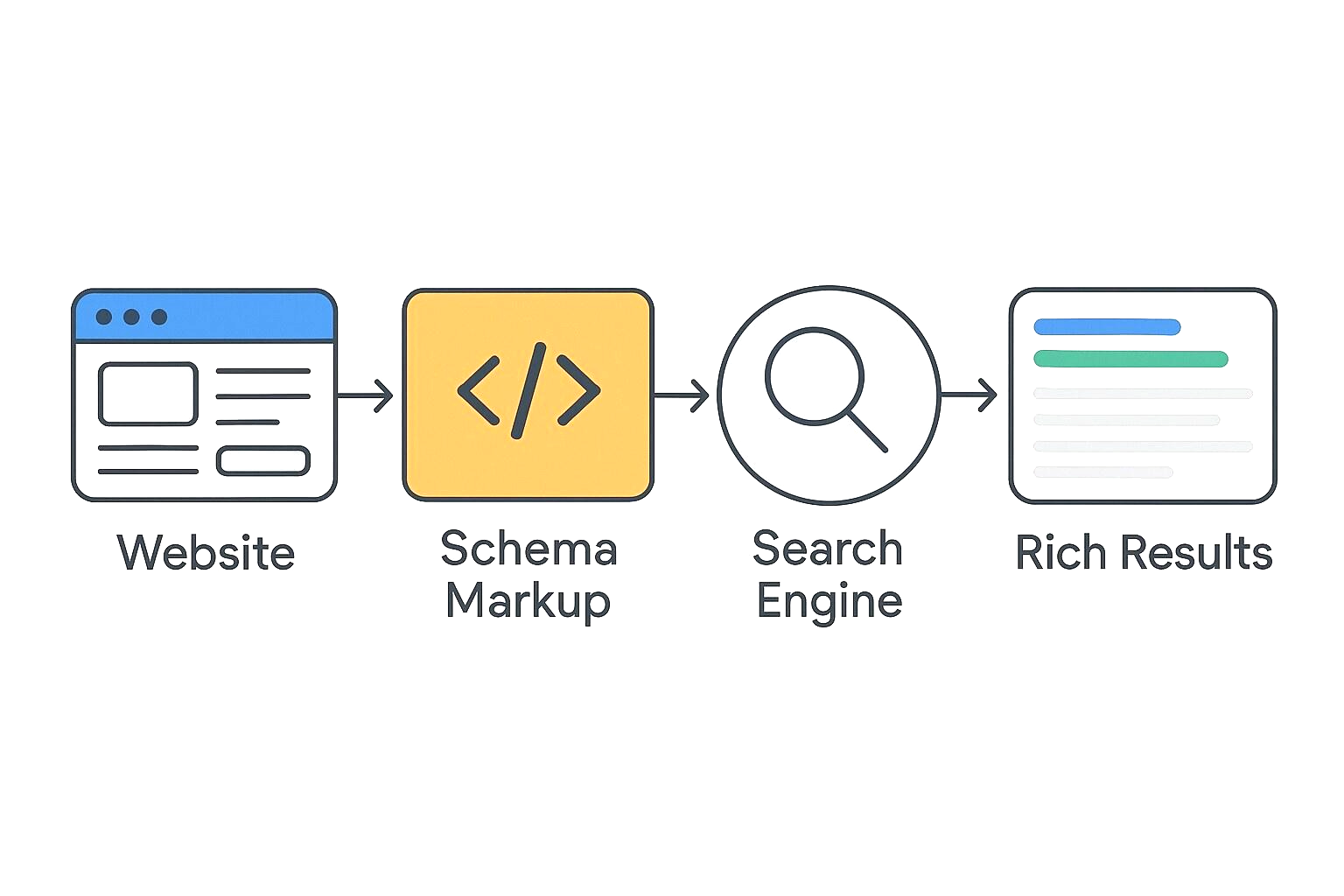
For example, a recipe page can contain information such as:
- Recipe name
- Cooking time
- Ingredients
- Instructions
- Rating
- Calories
A product page can contain details such as:
- Product name
- Brand
- Price
- Availability
- Reviews
- Rating
This information gives search engines additional context about the content on the page.
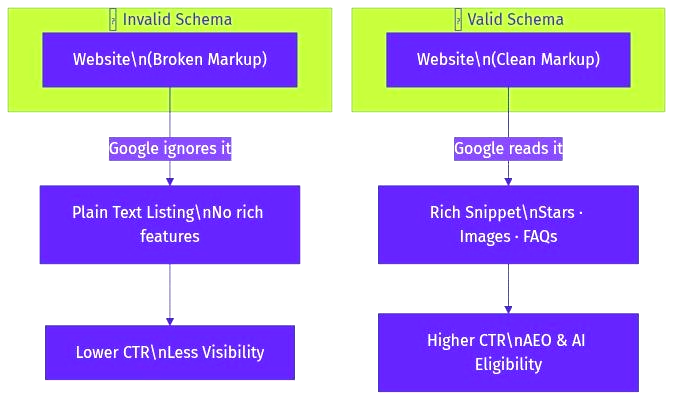
Google can use structured data to understand eligible content for certain search features. However, adding schema doesn’t guarantee that Google will show a rich result.
Why schema markup matters for WordPress sites
WordPress makes publishing content easy. Schema configuration can be a different story.
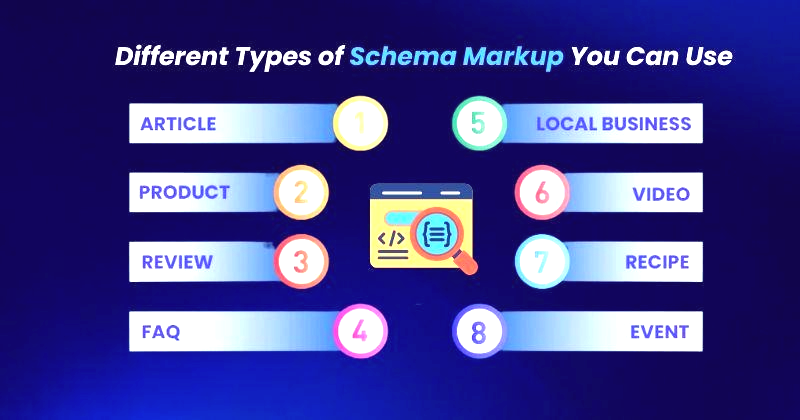
A basic blog post may need Article schema. A recipe needs Recipe schema. A product page may need Product schema. An FAQ section can use FAQPage schema when it meets Google’s requirements.
Then there are pages where the correct schema type isn’t immediately obvious.
You could manually create JSON-LD and add it to the page. But one wrong property, missing value, or formatting problem can make the markup invalid.
That’s where an SEO plugin can make the process easier.
What changed in AIOSEO 4.9.6?
AIOSEO 4.9.6 introduced an AI-assisted approach to schema markup generation.
The idea is simple: give AIOSEO your content and let its AI help determine and create the appropriate structured data.
This can be useful when you’re working with pages that don’t fit neatly into the standard schema options available in an SEO plugin.
Instead of starting with an empty schema configuration, you can use AI to generate the markup and then review it.
That last part matters.
AI-generated schema should still be checked before you publish it.
How AI schema generation works in AIOSEO
The workflow is designed to reduce the manual work involved in creating structured data.
The exact interface can change as AIOSEO updates the feature, but the basic process is built around your existing page content.
1. Open the WordPress page
Start by opening the post or page where you want to add schema markup.
If you’re editing an existing article, you can work directly from the WordPress editor.
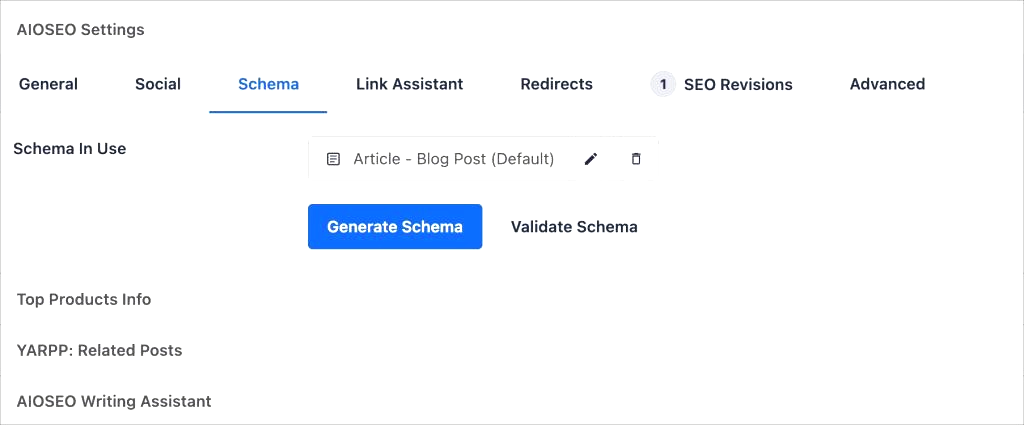
2. Open the AIOSEO schema settings
Find the AIOSEO settings for the page.
Look for the Schema section.
This is where you normally select and configure the schema type for the content.
3. Use the AI schema option
If AI schema generation is available for your installation, use the AI option provided by AIOSEO.
The AI can analyze the content and generate structured data based on the information it finds.
This is especially useful for custom content where creating every property manually would take longer.
4. Review the generated markup
Don’t publish the result blindly.
Check the generated schema against the actual page.
For example, if the page says a product costs $49, the schema shouldn’t claim that it costs $39.
The same applies to names, ratings, dates, authors, URLs, and other structured properties.
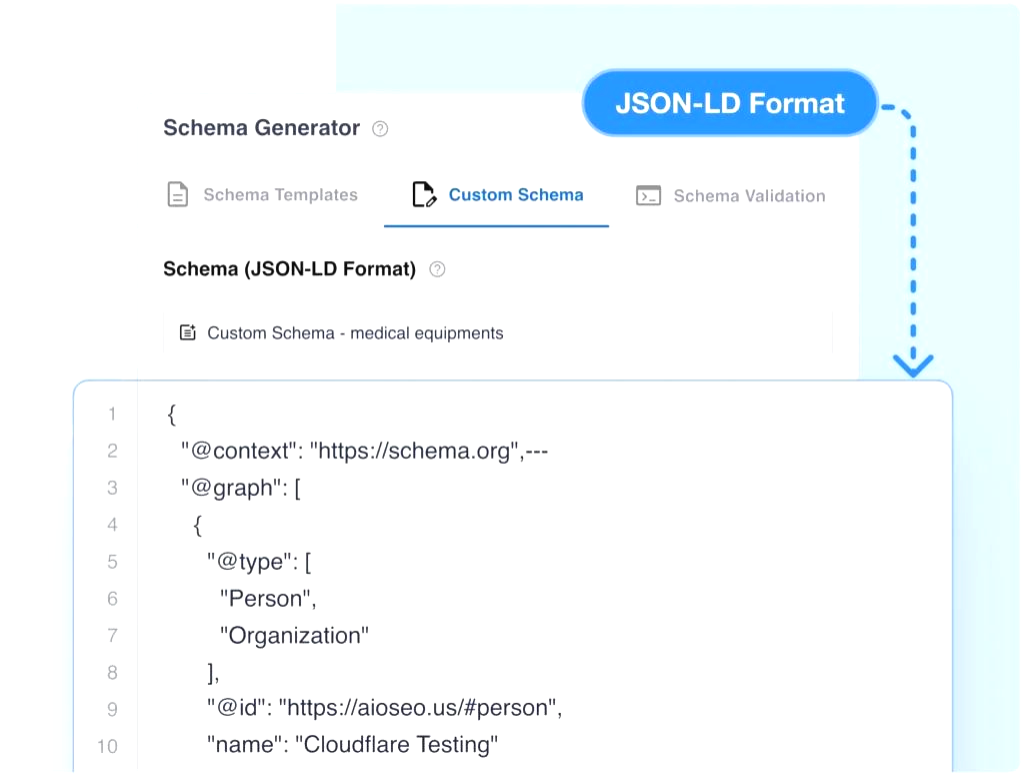
5. Save the schema
Once the information looks correct, save the schema settings.
AIOSEO can then add the appropriate structured data to the page without requiring you to manually insert JSON-LD code.
What makes AI-generated schema useful?
The biggest benefit is time.
Imagine you have 50 pages that need structured data. Manually creating and checking JSON-LD for every page can become a tedious job.
AI can handle much of the initial setup.
You still review the result, but you don’t have to start with a blank schema configuration every time.
There’s another benefit too: AI can help when you’re unsure which information belongs in the structured data.
Instead of guessing which properties to include, you can use the generated schema as a starting point.
AI-generated schema vs manual JSON-LD
Both approaches can work.
The difference is how much work you want to do yourself.
| Method | Best for | Technical knowledge |
|---|---|---|
| Manual JSON-LD | Developers and advanced SEO users | Higher |
| AIOSEO schema settings | Standard WordPress content | Low |
| AIOSEO AI schema generation | Custom or repetitive schema work | Low to moderate |
Manual JSON-LD gives you direct control over every property.
AIOSEO gives you a WordPress interface.
The AI feature adds another layer by helping create the markup from your content.
For many WordPress users, that means less time spent writing structured data by hand.
What types of schema can you use?
The right schema depends on the page.
Here are some common examples.
Article schema
Use Article-related structured data for eligible editorial content such as blog posts and news articles.
Useful properties can include the headline, author, publication date, image, and publisher.
Product schema
Product pages can contain structured information about the product, including price, availability, brand, and reviews where applicable.
This is particularly useful for ecommerce websites.
Recipe schema
Recipe pages can describe details such as ingredients, preparation time, cooking time, nutrition information, and instructions.
FAQ schema
FAQ structured data describes frequently asked questions and their answers.
But there’s an important limitation: Google has changed how FAQ rich results are displayed. Adding FAQ schema doesn’t mean your FAQ section will automatically appear as a rich result.
The visible content should still match the structured data.
Local business schema
Local businesses can use structured data to describe information such as the business name, address, opening hours, and other relevant details.
The exact properties depend on the business type.
Can AI choose the right schema type?
AI can help identify the schema that fits the content, but you should still verify the result.
Consider a page that contains a detailed tutorial.
An AI system might identify it as an Article, HowTo, or another relevant content type depending on the page structure and the available schema options.
Your job is to make sure the selected type actually describes the page.
Schema should describe what’s visible and true on the webpage.
Don’t add structured data simply because a certain schema type sounds useful for SEO.
Does schema markup improve rankings?
Schema markup isn’t a direct ranking guarantee.
Its main purpose is to give search engines structured information about your content.
When your structured data qualifies for a supported search feature, it can help search engines understand the page and may make the result eligible for enhanced search appearances.
That doesn’t mean every page with schema will rank higher.
Your content, technical SEO, links, relevance, page experience, and many other signals still matter.
Think of schema as structured information that supports search engine understanding.
AI schema doesn’t replace SEO judgment
This is where you need to be careful.
AI can generate code quickly. It doesn’t automatically know whether every piece of information is correct.
Suppose your article contains an author name in one section and a different author name in the metadata.
An AI-generated schema could potentially use the wrong value.
Or your page could have an outdated price, date, rating, or product availability.
If that information gets added to your structured data, you’ve created a mismatch.
So use AI for the repetitive work and review the output yourself.
How to check your schema after generating it
Once you’ve added schema through AIOSEO, validate the structured data.
Google provides the Rich Results Test for checking whether a page’s structured data can make it eligible for rich results.
You can also use Google’s Search Console reports when available for the structured data types detected on your site.
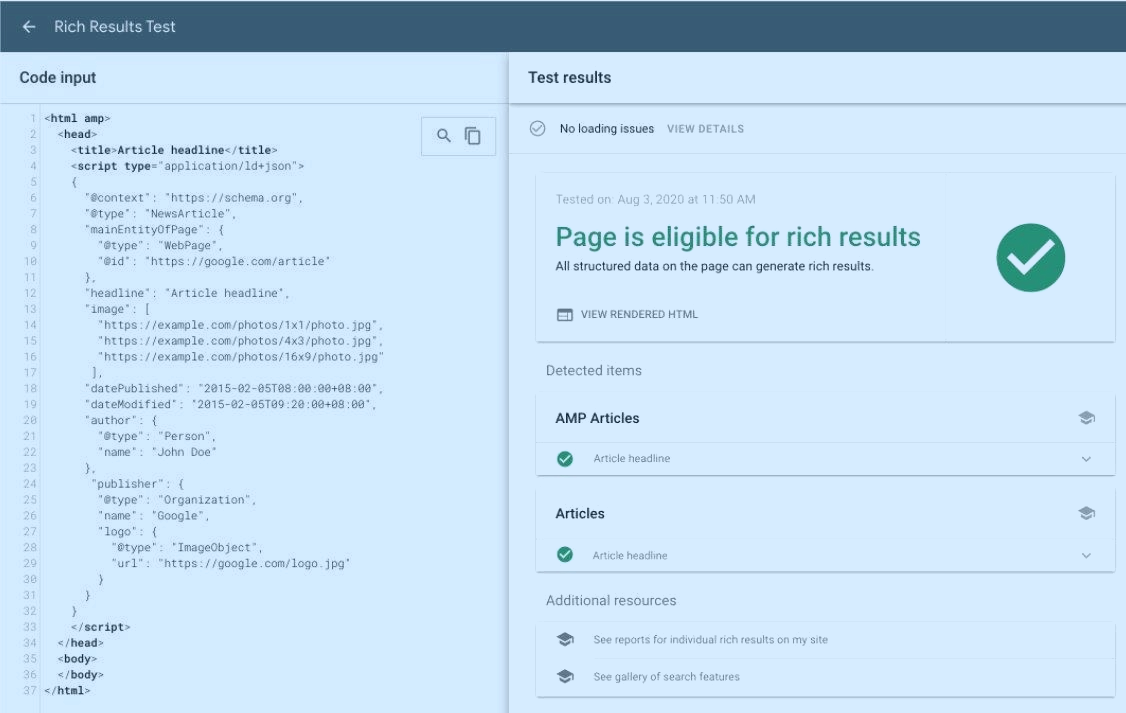
Look for:
- Errors
- Missing required properties
- Invalid values
- Warnings
- Schema types you didn’t intend to add
A validation tool can tell you whether the markup is technically valid.
You still need to check whether it accurately represents the page.
Those are two different checks.
Common mistakes with AI-generated schema
AI can reduce manual work, but it doesn’t remove the need for review.
Here are some mistakes worth checking.
Adding schema that doesn’t match the page
If the page isn’t actually a product, don’t mark it up as a Product just because Product schema contains useful fields.
The structured data should describe the visible content.
Using information that isn’t visible
Don’t add properties that aren’t supported by the page.
For example, don’t create a 5-star rating in schema when the page doesn’t actually show that rating.
Leaving incorrect values
Check prices, dates, names, URLs, availability, ratings, and other details.
These values can change.
Adding too much schema
More schema isn’t automatically better.
Use the types and properties that actually apply to the page.
Assuming valid schema guarantees rich results
A page can have valid structured data and still not receive a rich result.
Search engines decide when and where enhanced search features appear.
Is AIOSEO 4.9.6’s AI schema feature worth using?
For WordPress users who regularly work with structured data, it can save time.
The strongest use case is repetitive schema work or pages where manually building JSON-LD would be annoying.
You can let AI create a starting point, review the result, and make corrections before publishing.
That’s a much more practical workflow than copying random schema code from the internet and hoping it works.
If you’re already using AIOSEO, the feature is worth testing on a few pages first.
Check the generated markup.
Validate it.
Then decide whether it fits your workflow.
Final thoughts
Schema markup can be technical, especially when you’re dealing with JSON-LD and Schema.org properties.
AIOSEO 4.9.6 makes the process easier by bringing AI into schema generation.
You can use it to create structured data faster, then review the output before it goes live.
The important part is still accuracy.
AI can write the markup. You decide whether the markup actually describes the page.
FAQs
What is new in AIOSEO 4.9.6?
AIOSEO 4.9.6 adds an AI-assisted way to generate schema markup.
Instead of creating structured data manually, you can use AI to generate a starting point based on your page content and then review it before publishing.
Can AIOSEO AI generate schema markup automatically?
Yes. AIOSEO’s AI schema feature can help generate structured data based on the content of your WordPress page.
You should review the generated information to make sure it accurately matches the page.
Does schema markup improve Google rankings?
Schema markup doesn’t guarantee higher rankings. Its purpose is to help search engines understand your content and can make eligible pages suitable for certain enhanced search features.
What types of schema can AIOSEO generate?
The appropriate schema depends on your page content. Common types include Article, Product, Recipe, FAQPage, and Local Business schema.
Should I check AI-generated schema before publishing?
Yes. Always review AI-generated schema before publishing it. Check names, dates, prices, ratings, URLs, availability, and other information against the actual content on your page.