
Have you ever searched for your website in ChatGPT and wondered whether it actually uses your content?
You might have published 50 blog posts, worked on your SEO, and started getting organic traffic. But there’s another question worth checking: Can ChatGPT uses my website, read its pages, and use them when answering people’s questions?
You can investigate this by checking OpenAI’s website crawlers, reviewing your server logs, and tracking visitors coming from ChatGPT in Google Analytics 4 (GA4).
There are also a few ways to test whether ChatGPT cites your website when answering questions related to your content.
Let’s look at each method.
What Does It Mean When ChatGPT Uses My Website?
When someone says ChatGPT uses a website, they might mean several different things.
For website owners, there are 3 separate activities worth understanding:
- Website crawling: An automated bot visits your website and retrieves its content.
- ChatGPT search visibility: ChatGPT finds your pages and may include them as sources in search answers.
- Website referrals: Someone clicks a link to your website from a ChatGPT answer and visits your page.
There’s another activity worth understanding: AI model training. OpenAI has a separate crawler for content that may be used to train its foundation models.
Table of Contents
These activities have different purposes, so you’ll need different methods to check them.
1. Check OpenAI’s Crawlers in Your Website Activity
OpenAI uses different crawlers and user agents to access websites.
Three names are particularly relevant to website owners:
| Bot name | What it does |
|---|---|
| OAI-SearchBot | Crawls websites for ChatGPT search features |
| GPTBot | Crawls content that may be used to train OpenAI’s AI models |
| ChatGPT-User | Visits pages when a user requests certain actions in ChatGPT |
Each bot has a different purpose.
For example, OAI-SearchBot helps ChatGPT discover content for search results. GPTBot is associated with collecting content that may be used for AI model training.
ChatGPT-User works differently. It can visit a page when someone asks ChatGPT to retrieve or interact with specific website content.
How to check these bots
You can check your website’s access logs through your hosting account.
Follow these steps:
- Log in to your web hosting dashboard.
- Find the section called Access Logs, Raw Access Logs, or Website Logs.
- Open the latest log file.
- Search for these user-agent names:
- OAI-SearchBot
- GPTBot
- ChatGPT-User
- Check the dates and requested URLs.
If you find requests from these bots, your website has received visits associated with those user agents.
However, a user-agent name alone doesn’t prove that a request came from OpenAI. User-agent strings can be copied, so server administrators should also verify the request’s IP address against OpenAI’s published IP ranges.
You can find the official crawler documentation here:
2. Check Your robots.txt File
Your robots.txt file tells automated crawlers which parts of your website they can access.
If you want your pages to be eligible for ChatGPT search results, check whether OAI-SearchBot can crawl your website.
How to check robots.txt in WordPress
Open your browser and enter:
https://yourdomain.com/robots.txt
Replace yourdomain.com with your actual website address.
Look for rules mentioning these bots:
OAI-SearchBot
This crawler is used for ChatGPT search. Blocking it can prevent your website from appearing in ChatGPT search answers.
GPTBot
This crawler is associated with content that may be used for AI model training.
You can manage these bots separately.

For example, if you want to allow ChatGPT search access while disallowing GPTBot, your robots.txt file can contain:
User-agent: OAI-SearchBot
Allow: /

User-agent: GPTBot
Disallow: /
This configuration allows OAI-SearchBot to access your website while asking GPTBot not to crawl it.
You can also check whether your hosting provider or CDN blocks OpenAI’s published crawler IP addresses.
What if you find Disallow: /?
If your robots.txt file contains:
User-agent: OAI-SearchBot
Disallow: /
You’ve instructed OAI-SearchBot not to crawl your website.
If you want your content to appear in ChatGPT search results, review this rule and change it if appropriate.
WordPress tip: If you’re using an SEO plugin such as Yoast SEO or Rank Math, check its robots.txt editing options. You can also manage a physical robots.txt file through your hosting account.
Be careful when editing this file. A broad rule can affect other search engines and crawlers if you apply it to the wrong user-agent group.
3. Check ChatGPT Referral Traffic in Google Analytics 4
This is one of the easiest ways to find out whether people visit your website from ChatGPT.
When someone clicks a website link in ChatGPT search results, the referral URL can include this tracking parameter:
utm_source=chatgpt.com
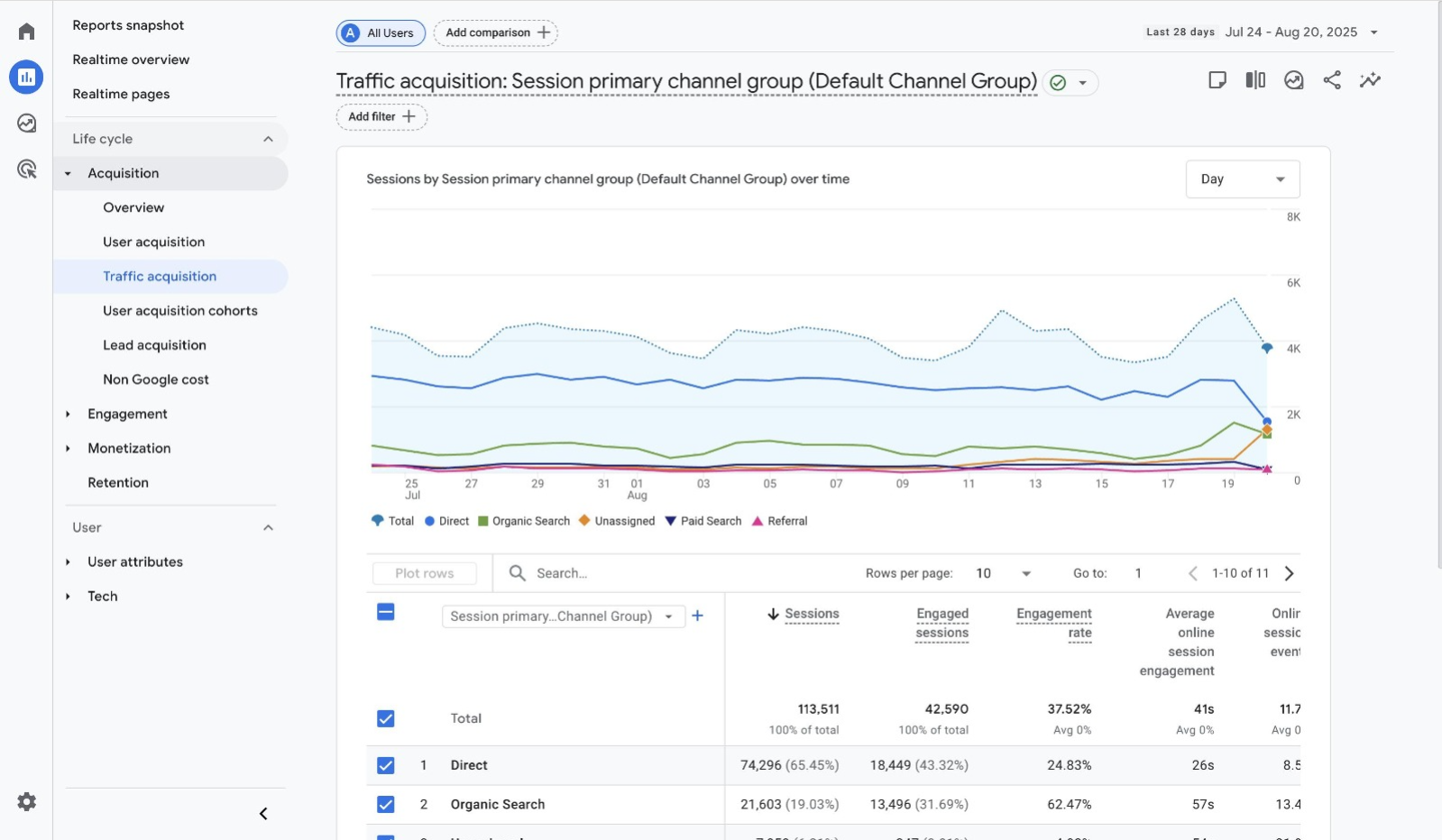
Google Analytics 4 can use this information to identify visits originating from ChatGPT.
Step-by-step guide
Step 1: Open Google Analytics 4
Log in to your Google Analytics account and select the GA4 property connected to your website.
Step 2: Open the Traffic acquisition report
From the left-hand menu, go to:
Reports → Acquisition → Traffic acquisition
Step 3: Find the traffic source
Look for the dimension named:
Session source / medium
If you can’t see it immediately, use the dimension dropdown in the report table to select it.
Step 4: Search for ChatGPT
Look for entries such as:
- chatgpt.com
- chatgpt.com / referral
- chatgpt.com / (not set)
The exact source and medium combination can vary depending on how the visit was attributed.
Step 5: Review your website visits
Check these metrics:
- Sessions
- Active users
- Engaged sessions
- Engagement rate
- Key events
These numbers help you understand how many visitors came from ChatGPT and what they did after reaching your website.
For example, if GA4 shows 35 sessions from chatgpt.com during the last 30 days, it means your website received 35 recorded sessions attributed to ChatGPT during that period.
You can also compare this number with previous months to see whether ChatGPT referrals are increasing.
Remember: Referral traffic only measures visitors who click through to your website. It doesn’t tell you how many times ChatGPT crawled your pages or mentioned your brand without generating a click.
4. Search for Your Website in ChatGPT
You can manually test whether ChatGPT finds and cites your website.
This method takes only a few minutes.
Follow these steps
- Open ChatGPT.
- Enable web search.
- Enter a question related to one of your published articles.
- Review the answer and its sources.
- Check whether your website appears among the cited sources.
For example, if you run an SEO blog, you could search:
- How do I set up WordPress SEO?
- What are the best AI writing tools for SEO?
- How can beginners improve their on-page SEO?
- What is artificial intelligence optimization?
If ChatGPT cites one of your articles, you’ve found evidence that your page was used as a source for that particular answer.
You can also search for your website by name or enter a specific article URL.
Try a prompt such as:
Search the web for information about [your topic].

Find relevant articles from maryamseo.blog
and include the original source links.
Repeat the test with different topics covered by your website.
Why might your website not appear?
There are several possible reasons:
- OAI-SearchBot is blocked.
- Your website pages aren’t accessible to the crawler.
- Your content doesn’t closely match the user’s question.
- Other sources provide more relevant information.
- Your website hasn’t been selected for that particular answer.
ChatGPT search uses multiple ranking signals, and appearing in its results isn’t guaranteed.
Also, a single search without your website doesn’t prove that ChatGPT never uses your content. Results can vary between queries.
5. Check Your Website Server Logs
If you want stronger evidence that OpenAI’s crawlers have visited your website, server logs are worth checking.
These logs record requests made to your website, including the requested page, time, response status, and user-agent information.
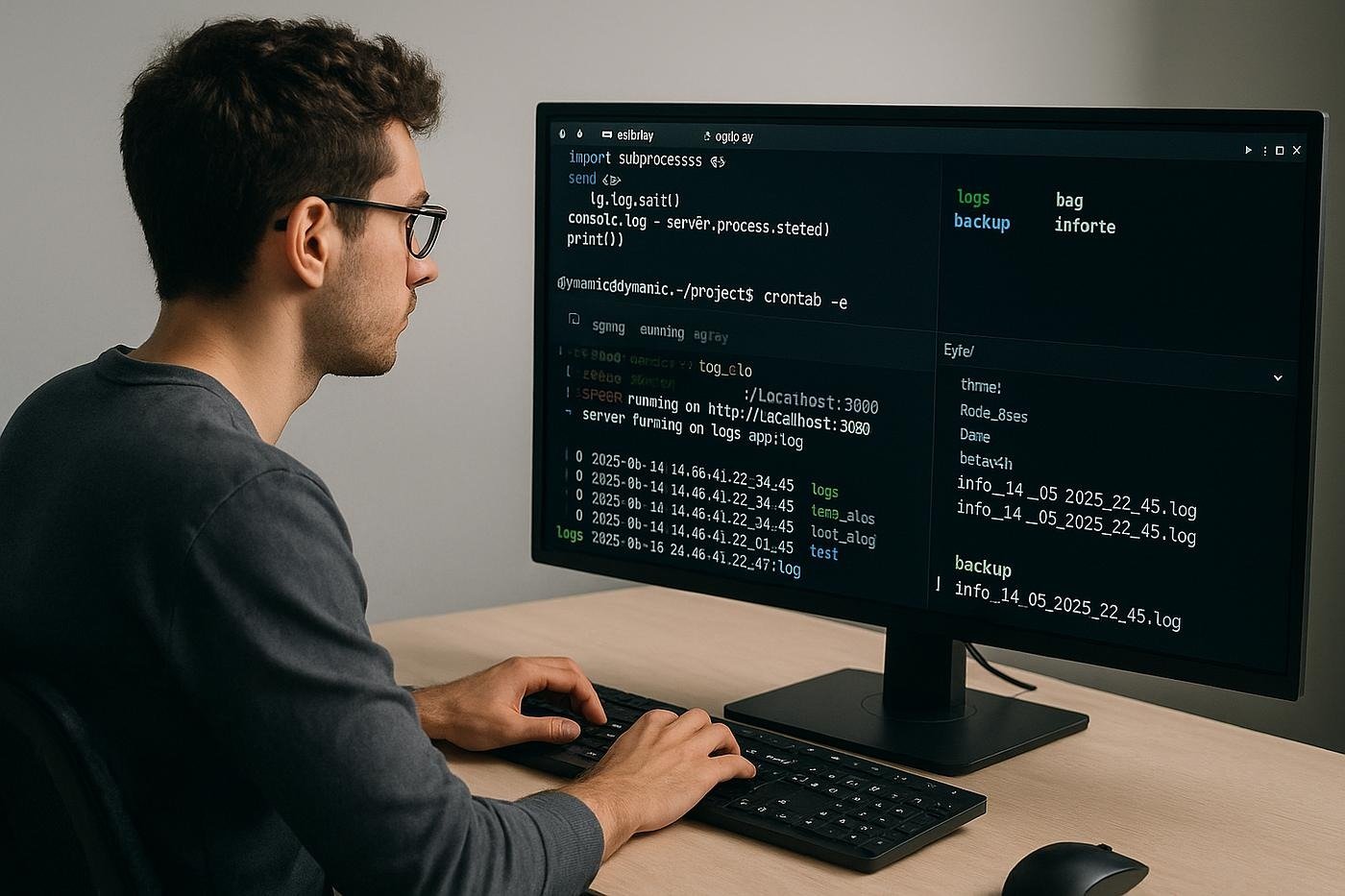
For example, you might find a log entry containing:
OAI-SearchBot
GET /wordpress-seo-guide/
200 OK
This indicates that a request using the OAI-SearchBot user agent accessed that URL and received a successful HTTP response.
You can search your logs for:
| User agent | What to look for |
|---|---|
| OAI-SearchBot | Requests for ChatGPT search |
| GPTBot | Requests associated with AI training |
| ChatGPT-User | User-triggered page visits |
Where can you find server logs?
The location depends on your hosting provider.
Common options include:
- cPanel: Raw Access or Access Logs
- Cloudflare: Security Events and available request logs
- Managed WordPress hosting: Server logs or activity logs
Some hosting plans don’t provide detailed access logs. You may need to contact your hosting provider.
How do you know the bot is genuine?
Check the requesting IP address against the official IP ranges published by OpenAI.
This matters because anyone can send a request with a user-agent string containing the words GPTBot or OAI-SearchBot.
A matching user-agent name without IP verification isn’t sufficient proof of an authentic OpenAI crawler.
6. Understand the Difference Between GPTBot and OAI-SearchBot
This is one of the most important things to understand when checking whether ChatGPT uses your website.
OpenAI provides separate controls for search discovery and AI model training.
Here’s how they differ:
| Feature | OAI-SearchBot | GPTBot |
|---|---|---|
| Main purpose | ChatGPT search discovery | Potential AI model training |
| Can crawl website pages | Yes | Yes |
| Related to search visibility | Yes | No |
| Related to model training | No, its stated purpose is search | Yes |
| Can be managed through robots.txt | Yes | Yes |
Suppose you run a WordPress blog and want its articles to appear in ChatGPT search results.
You can allow OAI-SearchBot while blocking GPTBot.
This gives you separate control over search access and potential training use.
OpenAI also explains that changes to robots.txt can take approximately 24 hours to affect its search systems.
You can read more in the official OpenAI crawler documentation.
7. How to Make Your Website Easier for ChatGPT to Find
After checking crawler activity, you can review your website’s technical setup.
Here are some practical checks.
Allow OAI-SearchBot
Check your robots.txt file and make sure OAI-SearchBot isn’t blocked if you want your content to be eligible for ChatGPT search.
Also check whether your CDN or hosting provider blocks its published IP ranges.
Publish useful, original content
Write articles that answer specific questions.
For example, an article about WordPress SEO should explain the actual steps a beginner needs to follow, including relevant settings and examples.
Avoid publishing several pages that repeat the same information with slightly different titles.
Keep important pages accessible
Check that your blog posts return a successful HTTP status and don’t require visitors or crawlers to log in.
Review accidental noindex settings, broken links, and redirect problems.
Use descriptive headings
Organize your content with clear H2 and H3 headings.
A reader should be able to understand what each section covers without reading the entire article.
Add relevant structured data
Use appropriate schema markup, such as Article or BlogPosting, where it accurately describes your page.
Structured data can help search systems understand information about your content. It doesn’t guarantee that ChatGPT will cite your website.
Build your website’s credibility
Publish content with clear authorship, accurate information, and relevant references.
Keep your author information and About page updated. Link to reliable sources when you make factual claims.
These steps also support a better experience for visitors arriving from traditional search engines.
8. Can You Check If ChatGPT Has Used Your Content for AI Training?
This is a different question from checking whether ChatGPT search visits your website.
OpenAI uses GPTBot to crawl content that may be used for training its foundation models.
If you find verified GPTBot requests in your server logs, you have evidence that the crawler accessed your website.
However, a GPTBot visit doesn’t prove that your specific article was included in a training dataset or used to train a particular model.
There isn’t a public website-owner dashboard that confirms which individual pages were used in a specific model’s training.
If you want to exclude your website from potential training crawls, you can add this rule:
User-agent: GPTBot
Disallow: /
You can still allow OAI-SearchBot separately if you want your website to remain eligible for ChatGPT search.
OpenAI respects the GPTBot robots.txt signal for content acquired through its crawling process.
Frequently asked questions
1. How do I know if ChatGPT is reading my website?
Check your server access logs for verified requests from OAI-SearchBot, GPTBot, or ChatGPT-User. Each bot has a different purpose, so identify which one accessed your pages.
2. How can I see if ChatGPT sends traffic to my website?
Open Google Analytics 4 and go to Reports → Acquisition → Traffic acquisition. Check Session source / medium for chatgpt.com.
3. Does ChatGPT use Google search results?
ChatGPT search can use third-party search providers to retrieve relevant information. It also uses its own search crawler, OAI-SearchBot, to help discover websites.
4. Does blocking GPTBot stop my website from appearing in ChatGPT?
Blocking GPTBot alone doesn’t automatically prevent your website from appearing in ChatGPT search. OAI-SearchBot controls access for ChatGPT search features and is managed separately.
5. Can I stop ChatGPT from using my website?
You can disallow GPTBot through robots.txt to indicate that your content shouldn’t be used for potential model training. You can also disallow OAI-SearchBot to prevent its automatic crawling for ChatGPT search.
6. Does appearing in ChatGPT search improve website traffic?
It can generate referral visits when users click your cited pages. The number of visits depends on whether your pages appear, whether users click them, and the relevance of your content.
7. Can ChatGPT use my website without sending visitors?
Yes. ChatGPT can use information from sources when generating answers without every user clicking through to the original website. Your analytics report only records visits that reach your website and are successfully tracked.
8. Is GPTBot the same as ChatGPT-User?
No. GPTBot is associated with potential AI model training. ChatGPT-User visits pages in response to certain user actions. OAI-SearchBot handles automatic crawling for ChatGPT search features.
Final thoughts
Checking whether ChatGPT uses your website requires looking at different sources of evidence.
Start with your robots.txt file, review server logs for OpenAI’s crawlers, and check Google Analytics 4 for ChatGPT referral traffic.
You can also test your published articles through ChatGPT search and see whether they appear as cited sources.
Keep these checks separate. A crawler visit, a search citation, and a referral session tell you different things about how your website interacts with ChatGPT.